
AI Agents
AI coding agents such as Claude Code, OpenAI Codex, and Cursor can connect to Transloadit and use 95 current Robots to upload, encode, and transform files. Agents can combine the MCP server for runtime tool access, reusable Agent Skills for human-directed workflows, and llms.txt for documentation context. The CLI provides a separate automation path for humans and CI.
Start from your project
Paste this prompt into your coding agent from the project root. It makes the agent inspect your stack before choosing an SDK, MCP, or skills, and keeps the first change reviewable:
Set up the smallest safe Transloadit integration for this repository.

1. Inspect the project’s language, runtime, package manager, existing upload/media code, tests,
   and agent configuration before changing files.
2. Choose the narrowest integration that fits: an official SDK for application code, MCP for
   agent-executed runtime tools, and Agent Skills for repeatable workflow guidance. Reuse an
   existing integration when one is already present.
3. Before editing, summarize what you found, which path you chose, and the files and commands you
   expect to change.
4. Use the project’s existing package manager. Match credentials to the execution boundary. Use
   TRANSLOADIT_KEY and TRANSLOADIT_SECRET only in a trusted server, CLI, CI, or self-hosted MCP
   process. Never expose TRANSLOADIT_SECRET to browser, mobile, or other client code; use a public
   Auth Key plus a Template ID and, when required, a signature from a trusted backend. Never
   hardcode, print, commit, or overwrite credentials. If required credentials are unavailable,
   scaffold placeholders and stop before any live request.
5. Create one minimal, typed workflow and validate its Assembly Instructions. Prefer an existing
   small media fixture. Do not create an account, change a plan, or modify production Templates.
6. Run the repository’s checks. If credentials and a suitable fixture are available and a live
   test is authorized, run one Assembly, wait for completion, and report its Assembly ID, status,
   and result URL. Otherwise, report the exact command the maintainer can run.
7. Summarize every changed file, verification result, and any remaining manual step.
The expected outcome is a small repository change, not merely a generated code sample. Review the agent’s proposed credential boundary before allowing a live Assembly.
What the agent should select
| Project signal | Starting point |
|---|---|
| Node.js, Python, Ruby, PHP, Go, Java, Android, or iOS application | The matching official SDK |
| Agent needs to lint instructions, inspect docs, or execute Assemblies | MCP server |
| Team wants a reusable, version-controlled workflow | Agent Skills |
| No runtime integration is needed yet | llms.txt and Markdown documentation pages |
MCP server
The Model Context Protocol (MCP) gives agents direct runtime access to Transloadit tools.
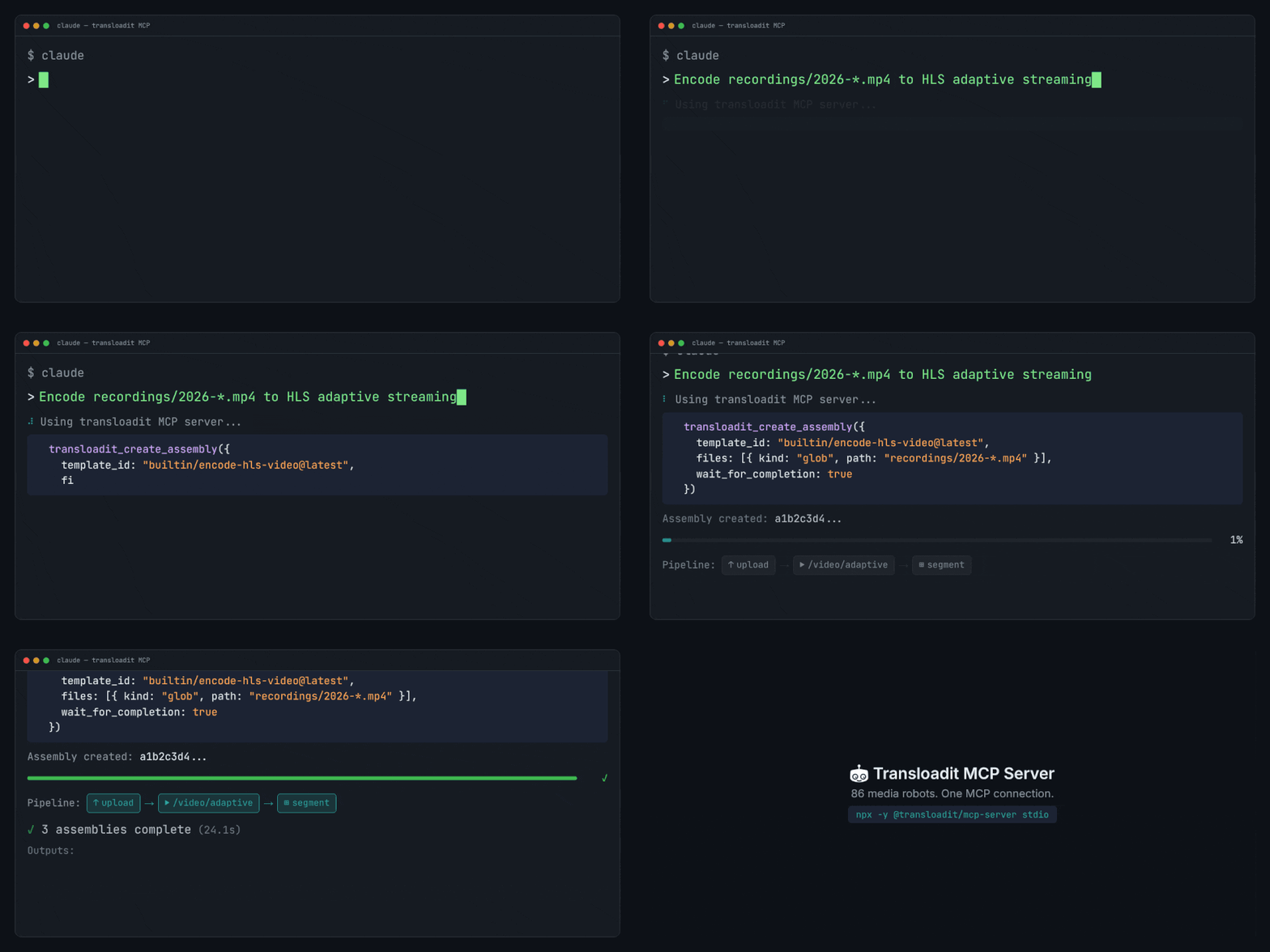
For most teams, the recommended starting point is self-hosted MCP via stdio:
TRANSLOADIT_KEY=MY_AUTH_KEY TRANSLOADIT_SECRET=MY_SECRET_KEY npx -y @transloadit/mcp-server stdio
If you cannot run npx in your environment, use the hosted endpoint
https://api2.transloadit.com/mcp with Authorization: Bearer <token>.
Generate the token in another trusted environment (for example your backend, CI, or local shell), then pass it to your agent runtime:
npx -y @transloadit/node auth token --aud mcp
You can also mint tokens via POST /token or the
Node.js SDK.
For client config examples (Claude, Cursor, VS Code/Copilot), auth details, tool docs, limits, and hosted vs self-hosted behavior, see the MCP Server SDK page.
Automation paths
Transloadit agent tooling is useful beyond chat-based coding agents. It gives teams a few practical ways to run the same media workflow from local scripts, CI jobs, operations consoles, and autonomous agents:
- CLI: use
@transloadit/nodewhen a human or CI job needs a repeatable command to create an Assembly, wait for completion, and collect results. - MCP: expose a narrow Transloadit tool surface to embedded or hosted agents that should not get shell access. The agent can inspect Robot docs, lint Assembly Instructions, create Assemblies, and follow status updates through the MCP server.
- Agent Skills: keep team-specific media workflow playbooks in version control for agents that already have useful tools, such as terminal access, MCP, the CLI, or SDKs. Skills tell the agent which Templates, verification steps, and fallbacks to use, but do not grant new capabilities by themselves.
- llms.txt: give any LLM a current map of Transloadit products, solutions, integrations, developer resources, and learning content before it proposes an Assembly.
For production automation, keep credentials in your trusted environment and let agents call a self-hosted MCP server or your own backend. Hosted MCP is convenient when the agent runtime cannot start local processes, while the CLI remains the simplest option for deterministic jobs in CI.
Agent Skills
Agent Skills are markdown files (SKILL.md) that teach agents how to
accomplish tasks step by step.
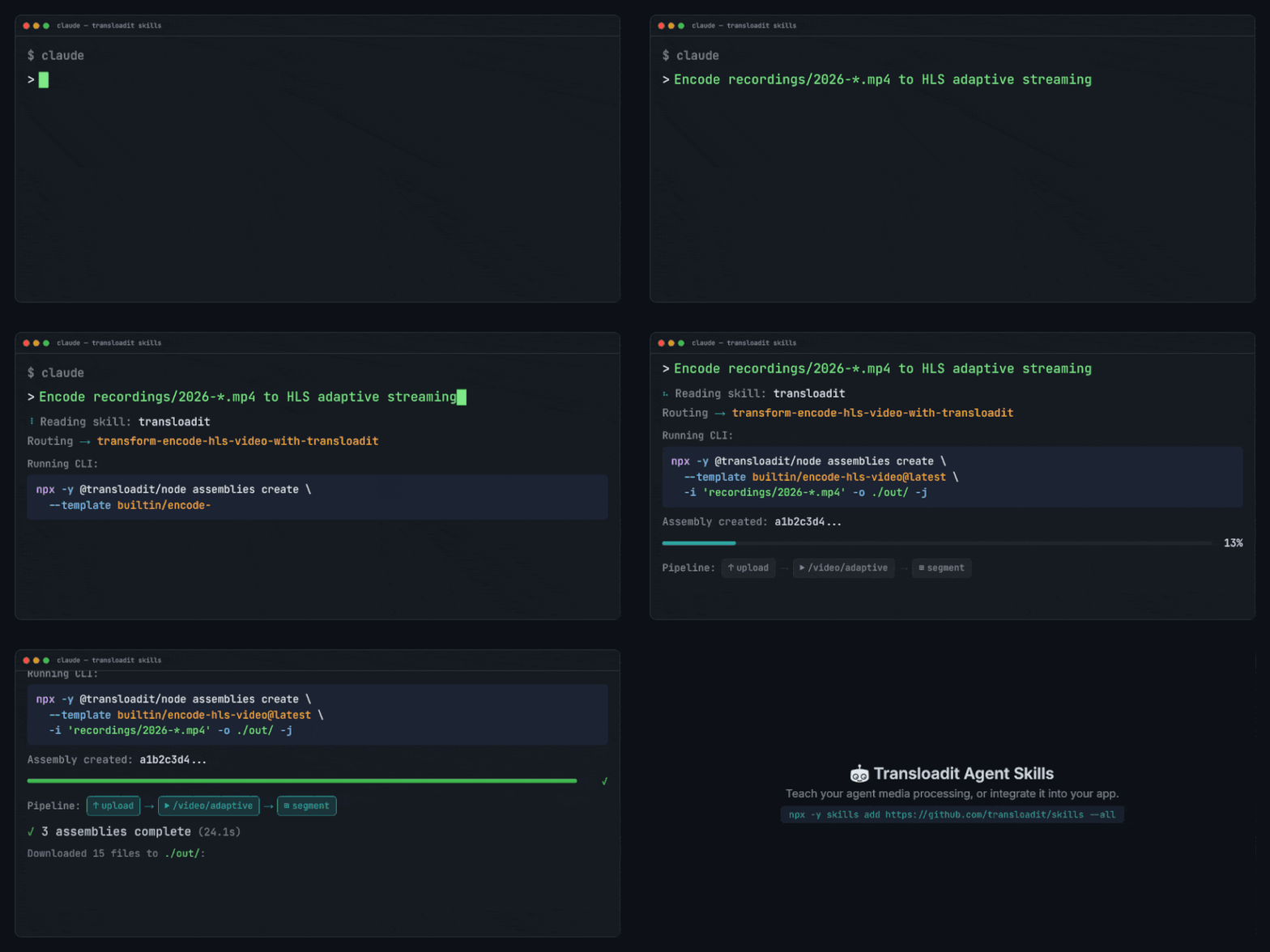
In practical terms, an MCP server is an API surface an agent can call at runtime (via a local or hosted MCP process), while skills are version-controlled playbooks that tell an agent what to do, in what order, and how to verify it. Skills do not add new tool access by themselves. They codify how you want the agent to use the tools available in your environment (MCP, CLI, SDKs) in a consistent way.
- Use MCP for embedded, repeatable execution (uploads, Assemblies, polling, results).
- Use skills as reusable, human-directed playbooks for tasks such as setup, scaffolding, templates, and migrations.
They also complement each other. A skill can standardize a workflow and then instruct the agent to use MCP (or a local CLI fallback) for the actual execution.
Install with the Skills CLI
npx skills add transloadit/skills
This installs all 13 Transloadit skills into your project:
- docs-transloadit-robots
Offline lookup for Transloadit Robots and their parameter docs/examples via the
transloaditCLI. Use to draft or validatestepsJSON without guessing robot names/params. - integrate-asset-delivery-with-transloadit-smartcdn-in-nextjs
Add server-side Transloadit Smart CDN URL signing for an explicitly configured asset to a Next.js App Router project.
- integrate-uppy-transloadit-s3-uploading-to-nextjs
Add Uppy Dashboard + Transloadit uploads to a Next.js (App Router) app, with server-side signature generation and optional /s3/store export.
- transform-build-mosaic-collage-with-transloadit
One-off justified mosaic photo collage (N local images -> single image) using the official
@transloadit/nodeCLI. Uses the/image/mergeRobot'smosaiceffect to build a justified tiled layout with center-cropped photos, and downloads the result to an explicit output path via--output. - transform-build-polaroid-collage-with-transloadit
One-off polaroid-stack photo collage (N local images -> single image) using the official
@transloadit/nodeCLI. Uses the/image/mergeRobot'spolaroid-stackeffect and downloads the result to an explicit output path via--output. - transform-convert-markdown-to-pdf-with-transloadit
Convert a local Markdown file to a sibling PDF via the official
@transloadit/nodeCLI. Use when the user wants a.mdfile rendered as a.pdf, especially from an agent session or local repo. The CLI resolves auth from the shell environment, the current working directory.env, then~/.transloadit/credentials. - transform-describe-image-with-transloadit
One-off image description using the official
@transloadit/nodeCLI. Useimage describe --fields labelsfor object-style labels, orimage describe --for wordpressfor structured alt text, title, caption, and description JSON. - transform-encode-hls-video-with-transloadit
One-off HLS encoding (local video -> HLS renditions + playlist) using Transloadit via the
transloaditCLI. Prefer builtin templates (builtin/encode-hls-video@latest) and download outputs locally via-o. - transform-generate-image-with-transloadit
One-off image generation (prompt -> image file) using Transloadit via the
transloaditCLI. Preferimage generatefor text-only and input-guided generation, and use--outputwhen you need a deterministic path. - transform-remove-background-with-transloadit
One-off background removal (local image -> transparent PNG) using the official
@transloadit/nodeCLI. Use a minimal/image/bgremovesteps JSON and download the result to an explicit.pngpath via-o. - transform-transcribe-audio-with-transloadit
One-off transcription of local audio or video files to text or subtitle files using Transloadit via the official
@transloadit/nodeCLI. Use when the user wants speech in local media converted to.txt,.json,.srt, or.webvtt; prefer thespeech transcribeintent with Replicate. - transform-upscale-image-with-transloadit
One-off AI image upscaling (local image -> upscaled image) using Transloadit via the
transloaditCLI. Prefer theimage upscaleintent and use--outputfor a deterministic path. - transloadit
Main entry-point skill for Transloadit. Route to the right
integrate-*,transform-*, ordocs-*skill, and prefer executing vianpx -y @transloadit/node ...(CLI) for deterministic behavior.
Auto-discovery
The skills catalog is also discoverable at transloadit.com/.well-known/skills/index.json, following the Agent Skills Discovery RFC. This means you can also install with:
npx skills add https://transloadit.com
Manual installation
Clone or symlink the transloadit/skills repo into your agent's skills directory:
| Agent | Path |
|---|---|
| Claude Code | .claude/skills/ |
| OpenAI Codex | .codex/skills/ |
| Gemini CLI | .gemini/skills/ |
| Cursor | .cursor/skills/ |
| Windsurf | .codeium/windsurf/skills/ |
llms.txt
Transloadit publishes an llms.txt file, a compact, site-wide routing index following the llms.txt standard. It covers products and services, solutions, integrations, media and task indexes, developer and learning resources, and support.
For Robot-specific discovery, use /docs/robots/llms.txt. The legacy
llms-full.txt compatibility file includes complete Robot parameter schemas inline,
but it is large. Prefer llms.txt for discovery and fetch only the linked Markdown pages relevant to
the task.
Which approach should I use?
| Approach | Best for | Setup |
|---|---|---|
| Self-hosted MCP | Most teams, production automation, local dev | Run one command locally |
| Hosted MCP | Agent runtimes that cannot start local processes | Mint a token and configure the endpoint |
| Agent Skills | Reusable, human-directed Transloadit workflows | Install with one command |
| llms.txt | Giving any LLM broad Transloadit documentation context | Fetch the URL |
These approaches complement each other. Use self-hosted MCP for tool access in most setups, or hosted MCP when the agent runtime cannot start local processes. Install skills for workflow guidance, and point your LLM at llms.txt when it needs Transloadit documentation.