

Introducing the /tus/store Robot for resumable file uploads

As has been a bit of a theme lately, we're introducing a new Robot today: the /tus/store Robot. /tus/store is a new export Robot that lets you export your files to any server that supports the Tus protocol – allowing your files to be resumably uploaded to their destination.
What is Tus?
Tus is a powerful and robust upload protocol that enables resumable file uploads, allowing it to handle interruptions seamlessly. This makes it ideal for users with poor or unstable internet connections. Tus is well-supported by various platforms, including Supabase. Tus provides resumability, not inherent transfer security. HTTPS and the endpoint's authentication and authorization determine transfer security.
If you're looking to sink your teeth into some of the technical details behind the protocol, as well as how to add Tus support to your server, we recommend taking a look at the Tus website.
Using /tus/store
For those who are eager to get stared though, lets go through a Template using the /tus/store Robot.
The demo endpoint below is disposable and must not receive sensitive files. For production,
replace endpoint with your own configured Tus endpoint, using HTTPS and the authentication
and authorization required by your destination.
{
  "steps": {
    ":original": {
      "robot": "/upload/handle"
    },
    "resize": {
      "use": ":original",
      "robot": "/image/resize",
      "width": "250",
      "height": "250",
      "resize_strategy": "fillcrop",
      "result": true,
      "imagemagick_stack": "v3.0.1"
    },
    "export": {
      "use": [":original", "resize"],
      "robot": "/tus/store",
      "endpoint": "https://tusd.tusdemo.net/files/"
    }
  }
}
In the Template above, we first resize an image and then export it to the Tus demo endpoint using the /tus/store Robot.
Thankfully, this endpoint doesn't require any credentials to be passed along with the request.
However, that is not always the case. Sometimes, the destination server will require extra
information about the file's origin. If your endpoint requires credentials, you can include them in
the request using the credentials parameter, which you can create in the same way as with any
other export Robot.
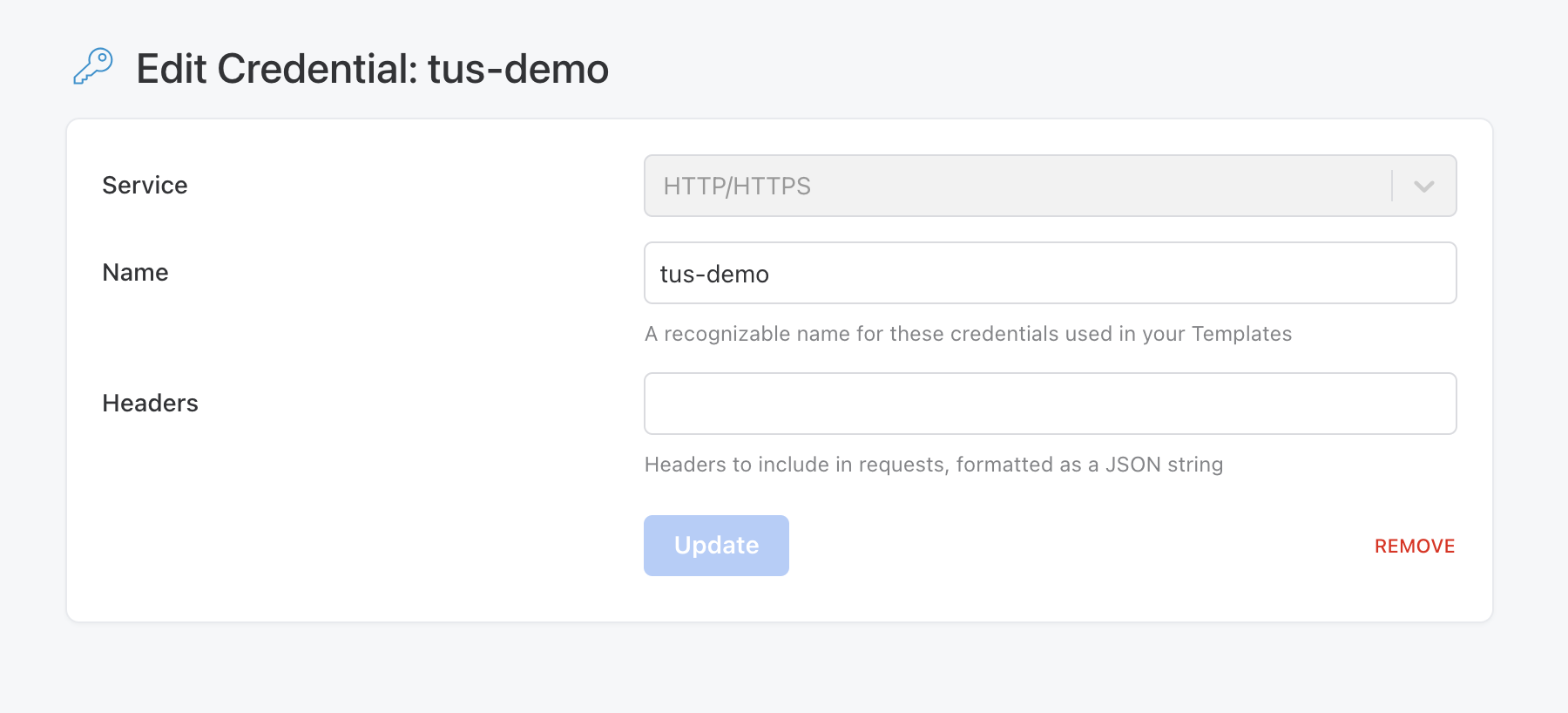
First, head to the Template Credentials page and create a new set of third-party credentials.
As the service, select HTTP/HTTPS, and give the credentials a memorable name. Then in the
"Headers" section, you can add any values that your target destination requires to perform the
upload. It should look similar to the screenshot below.
Now you should be equipped with everything you need to get started using the /tus/store Robot. For a comprehensive look at everything available to you with the Robot, check out the documentation.