

Re-Loadit: enhancing subtitles with /document/convert

In our Re-loadit series, we give a belated introduction to some of Transloadit's less-covered features by showcasing what they are capable of and giving you some useful tips on how to get them up and running. It has been a couple of months since our last addition to this series, so let's pick up where we left off by shining the spotlight on the /document/convert Robot!
The /document/convert Robot
You can use the /document/convert Robot to automatically process your documents and convert them into a different format.

With so many different file varieties out there, it is inevitable that some file types will not be supported by certain operations or processes. In other cases, a specific file type might simply do the job better than another. This is the case with the conversion process that we will be looking at today: converting SRT files to VTT files. See the /document/convert documentation for the currently supported input and output formats, including PDF conversion.
SRT files are the most common among the many types of subtitle formats out there, but they lack some of the capabilities of VTT files, such as enabling HTML5 code. With that in mind, you may wish to convert your files to make use of the additional features that the VTT file type offers.
The /document/convert Robot was introduced to the Transloadit Robot family back in May of 2018.
Creating the Assembly
These are the Assembly Instructions I used:
assembly.add_step("converted", "/document/convert", {"format": "vtt"})
In the code above, we have defined the Assembly Instructions to fit into our Template, so that the file used can be uploaded for Transloadit to handle.
To demonstrate these Assembly Instructions, all we have to do is run the Python-created Template below with the implemented Assembly Instructions. Copy these lines of code to follow along:
# pip install pytransloadit
from transloadit import client

tl = client.Transloadit('YOUR_TRANSLOADIT_KEY', 'YOUR_TRANSLOADIT_SECRET')

assembly = tl.new_assembly()
assembly.add_file(open("subtitle.srt", "rb"))
assembly.add_step("converted", "/document/convert", {"format": "vtt"})

assembly_response = assembly.create(wait=True)

print(assembly_response.data['assembly_id'])
After running this code, refer to your Assemblies, click the top Assembly, and you should see a result like this:
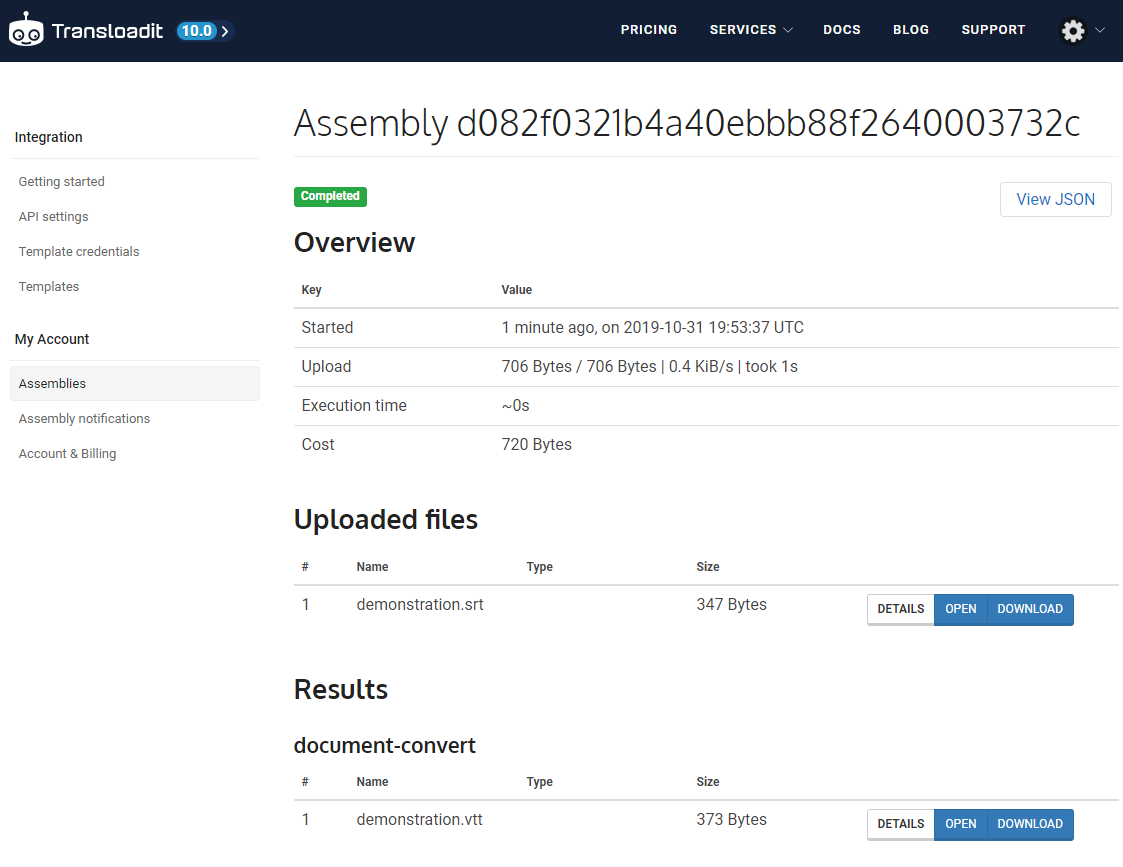
The results
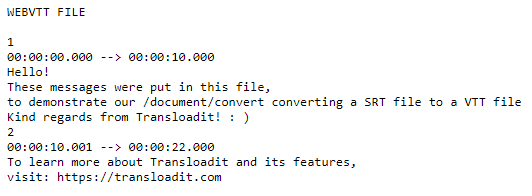
Under the results section, you can either choose to download your new VTT file or open it within the browser. Either way will yield the same result — you'll be able to verify that the new file is indeed a VTT file!
That brings us to the end of another installment of the Re-loadit series. I hope you're looking forward to the next one!