

Efficient Dropbox to SFTP file transfer with optimization

When we last left off in the Re-loadit series, I covered an example using the /dropbox/store Robot. This time, I want to import files from my personal Dropbox. So, continuing with the Dropbox theme, it's the /dropbox/import Robot's time to shine!
The /dropbox/import Robot
In contrast to the /dropbox/store Robot, the /dropbox/import Robot will allow you to import directories directly from your Dropbox storage to be passed onto other steps within an Assembly.
Images are some of the most popular file types stored on Dropbox. From a personal point of view, apart from storing my invoices, I mostly use my Dropbox for storing various images to share them with friends and family. That said, Dropbox as a service isn't always ideal. Personally, I feel more comfortable storing some of my files on my own SFTP server. Especially since I'm starting to run out of space on Dropbox and my student budget doesn't allow for a Dropbox subscription 😉
So, for this example, I will be introducing an Assembly that allows me to move the images from one of my Dropbox folders to my SFTP server - running on my very own Raspberry Pi. As an extra step, I also want to reduce the file size of these images since my Raspberry Pi's SD card is only 8GB.
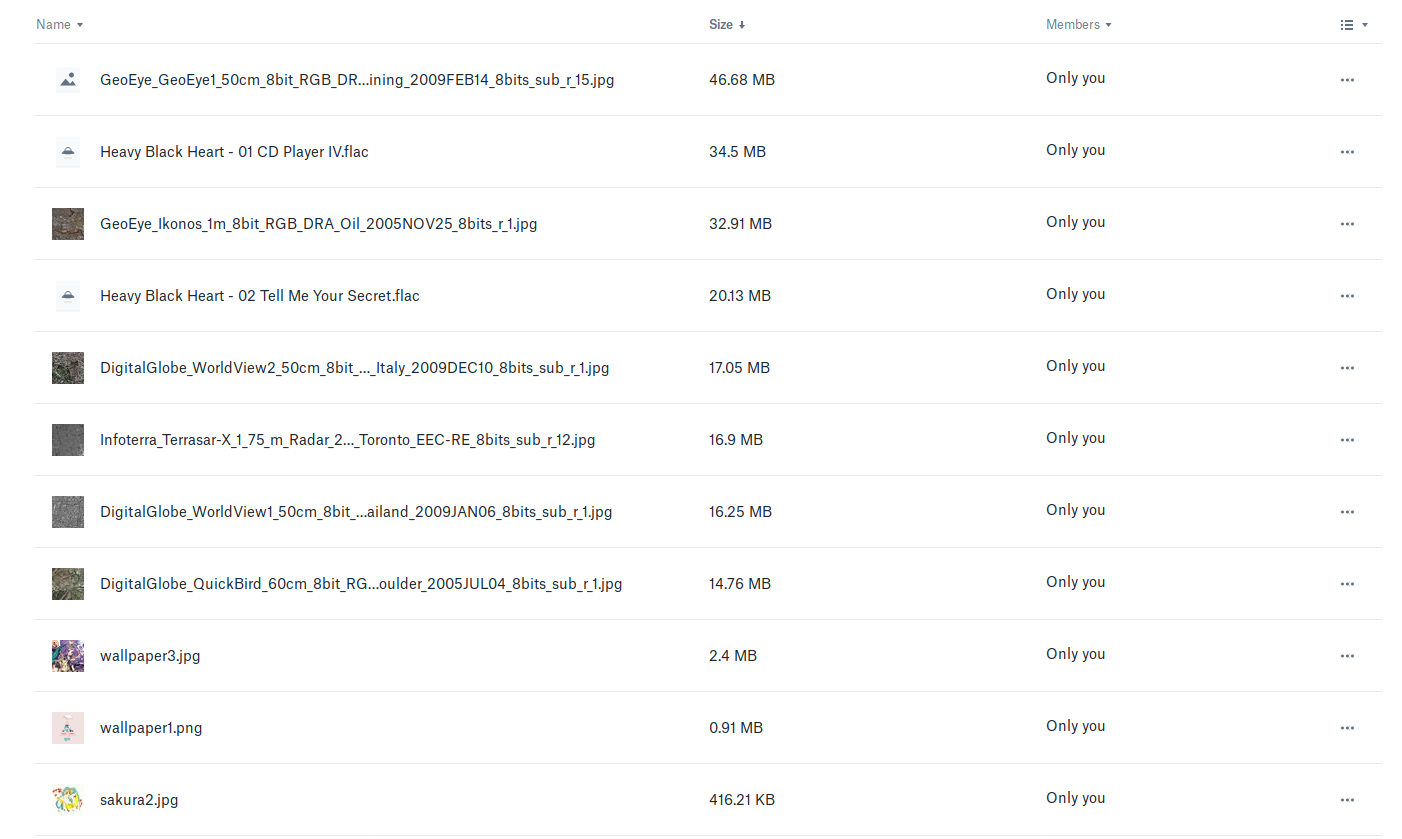
For the curious, the Dropbox folder containing the images I want looks like this. There's a mix of media files in here, so I'll also need a way to filter out the unwanted files.
Let's see how exactly to build such an Assembly. Feel free to follow along!
Creating the Assembly
For this task I'll be making use of four Robots:
- The /dropbox/import Robot to get what I need from my media/ folder;
- The /file/filter Robot to ensure I'm filtering out any undesired file types;
- The /image/optimize Robot to reduce the file size of the images being imported; and
- Finally, the /sftp/store Robot will let me store everything on my own SFTP server.
That's a decent number of Robots doing some fairly complex tasks. Check out the Template I created below:
{
  "steps": {
    "imported": {
      "robot": "/dropbox/import",
      "result": true,
      "credentials": "my_dropbox_credentials",
      "path": "media/"
    },
    "filtered_images": {
      "use": ["imported"],
      "robot": "/file/filter",
      "result": true,
      "accepts": [["${file.mime}", "regex", "image/(jpeg|png|svg|tiff)"]]
    },
    "optimize": {
      "use": ["filtered_images"],
      "robot": "/image/optimize",
      "priority": "compression-ratio",
      "progressive": false,
      "preserve_meta_data": false,
      "fix_breaking_images": true
    },
    "exported": {
      "use": ["optimize"],
      "robot": "/sftp/store",
      "credentials": "my_sftp_credentials",
      "path": "/home/pi/sftp/images/${file.original_basename}.${file.ext}"
    }
  }
}
As usual, I prefer to keep the credentials for both my Dropbox access token and SFTP details (such
as hostname) safe in the Template Credentials section of Transloadit.
From the initial Step, the /dropbox/import
Robot will import all files specified by the path parameter, in this case my media/
folder. This folder contains a number of images, but also some miscellaneous files, like documents
and mp3s.
Not all of those files are relevant, so I use the /file/filter Robot to filter out anything that isn't a jpeg, png, svg or tiff. The impressive /image/optimize Robot then takes these images and helps reduce their file size while maintaining their quality. Finally, I export the results to my SFTP server - letting them live comfortably on my Raspberry Pi.
The results
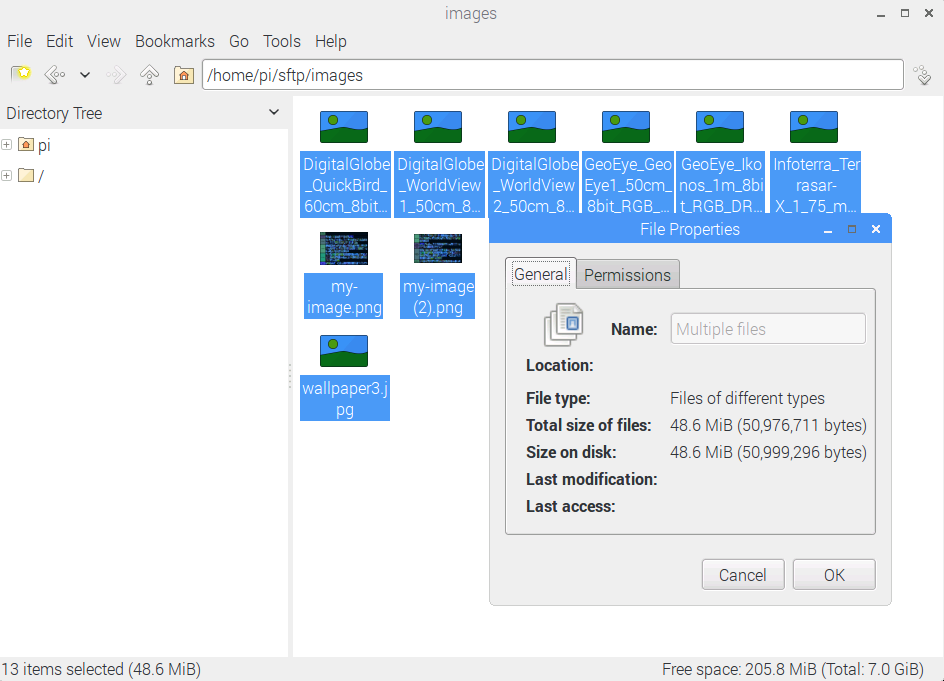
After a quick check on my Pi's filesystem, the results are looking good! All of the images that were present in my Dropbox media/ folder are now also present on my SFTP server. And as a nice bonus, I've managed to whittle down some of the file sizes too! 😍
Stay tuned for the next installment in our Re-loadit series!