

Tech preview: new AI Robots for enhanced media processing

Historical pricing note: the plan now displayed as Pro was called Startup when this article was published. Prices, allowances, and promotions below describe that historical offer. See current pricing for today’s plans.
We're happy to share that we are launching a new line of AI bots in Tech Preview. We've had one AI Robot in production for some time: /image/facedetect. It's powered by internal software and we've been pleased with its performance. Today's announced bots, however, are powered by external cloud services.
It's hard to miss the AI advancements that The Big Five are making. With access to virtually unlimited data, models can be trained to achieve unparalleled accuracy. We felt that offering these AI capabilities right inside our encoding pipelines could add tremendous value to customers seeking to further automate their media processing.
We've tested and mapped out AI offerings by the Google Cloud Platform (GCP) and Amazon Web Services (AWS), and started drawing Venn diagrams to pinpoint overlapping functionality.
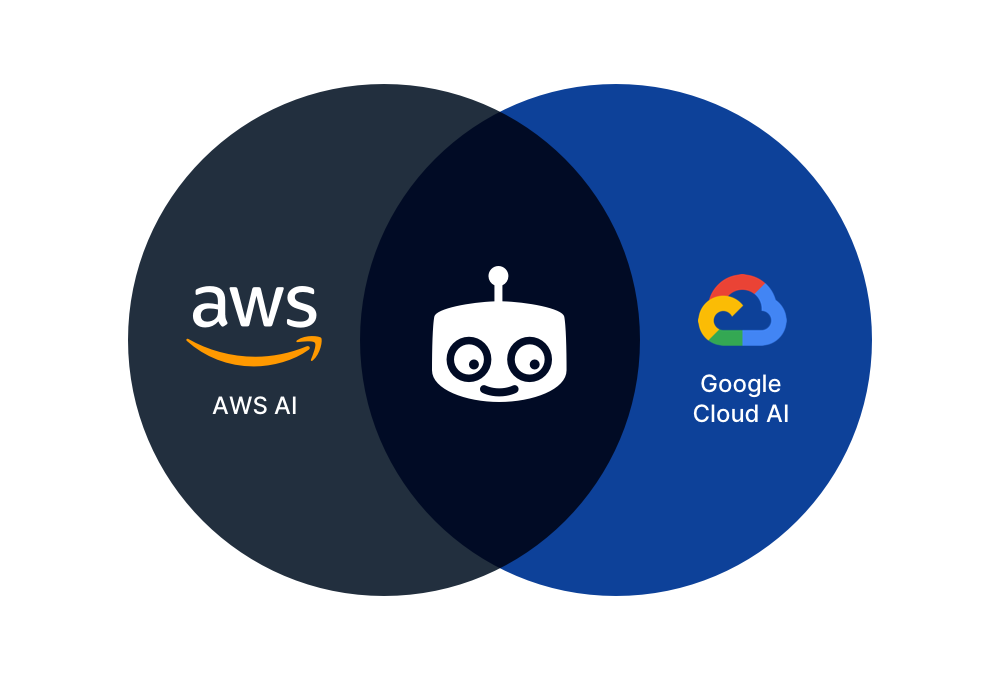
Our idea was to offer an abstraction over the lowest common denominator. In other words: with a
single API, our customers can plug in, say, image recognition of either provider, and get back
uniform responses. It would be just a matter of specifying either provider: 'aws' or
provider: 'gcp' to switch from one provider to the next.
Why let Transloadit wrap this?
It goes without saying that Transloadit cannot beat or even meet the pricing of the AI providers themselves, so if you need to process massive amounts of data, consider integrating with GCP/AWS directly.
However, if your use case doesn't revolve around squeezing every last penny out of every last byte, there are four reasons why our customers may want to use these AI services in conjunction with Transloadit:
1. LEGO-like composability
You can drop AI in existing encoding pipelines, mixing and matching with 97 features (Robots) to create workflows unique to your business. All of this without writing imperative boilerplate code to string it all together, which would result in more moving parts and points of failure.
Transloadit offers an integral solution that can be wielded with a single deterministic JSON recipe. With twenty lines of declarative instructions, you could order Transloadit to pass a video through these Robots:
- /speech/transcribe: turn the video into human-readable text
- /text/translate: translate the text into Japanese
- /text/speak: synthesize the Japanese into spoken language
- /video/merge: merge the new spoken Japanese as an audio track over the original video
Essentially, you have now made Transloadit translate a video automatically 😄 It's probably not ready for prime time, but this does illustrate how powerful our Assembly line can be. For code samples around our declarative composability, check further down.
2. Easily compare and switch between AI providers
The vendors use different notations for languages (when translating), they structure their responses differently and they have different docs, SDKs, formats, settings, etc.
Transloadit abstracts all of this and accepts uniform input, delivering uniform output — no matter the provider.
After having used Amazon, you can see how Google describes the same image without changing anything
but the provider parameter. This way, you can easily compare results and latencies in your app, to
see what best suits your use case. And that could change of course. These AIs are constantly
learning and improving for the majority of cases, but if one of your own customers has an unlucky
minority case, you could offer to switch in a heartbeat.
3. Possibly cut down on vendors
If you are either:
- already using Transloadit for your media processing
- in the market for an AI feature but would also like to augment that with automated image optimization, encoding, or leverage any of our other 97 features
.. this saves you the hassle of integrating with yet another provider. We already indicated the engineering costs associated with many moving parts, but there is also different billing to consider, SLA agreements to monitor, and support desks to deal with.
4. Hassle-free 💆♀️
We automatically sanitize and cleanup inputs. For instance, while AWS will accept any audio file to transcribe, depending on settings, Google will want it in the PCM format with signed 16-bit, 1-channel, little-endian encoding. With Transloadit, you just throw any audio (or video!) at us, and we'll make sure it gets converted to whatever way the AI provider you picked, likes it.
Features we are launching today
Today, we are launching two Robots in Tech Preview:

Our /image/describe Robot. Input an image and get
back a list of objects that were detected: Tree, Car, House, etc. We can return it as a text file,
JSON file, or pass it to another Robot for processing. Common use cases include
automatically flagging (in)appropriate content, providing alt captions for images, and/or making
images searchable.

Our /speech/transcribe Robot. Input an audio or video recording and get back human-readable text. We can return it as a text file, JSON file, or pass it to another Robot for processing. Common use cases include automated subtitling, or making audio/video searchable.
We're launching them in conjunction with an upgrade to:

Our /file/filter Robot. Pass it a file and criteria,
and this Robot acts as a gatekeeper, optionally passing files through to another
Step, like exporting. We changed it so that it now also takes an includes operator.
With the newly added includes operator, you can now start automatically rejecting (or flagging)
undesired content like so:
{
  "steps": {
    "described": {
      "use": ":original",
      "robot": "/image/describe",
      "provider": "aws",
      "format": "meta",
      "granularity": "list"
    },
    "filtered": {
      "use": "described",
      "robot": "/file/filter",
      "declines": [
        [ "${file.meta.descriptions}", "includes", [ "Naked", "Sex" ] ]
      ]
    },
    "exported": {
      "use": "filtered",
      "robot": "/s3/store",
      "credentials": "YOUR_AWS_CREDENTIALS"
    }
  }
}
Now, if I wanted to only allow pictures of cars for my used cars sales website, and I preferred Google's image recognition, I'd just change:
"declines"to"accepts"[ "Naked", "Sex" ]to[ "Car", "Tires" ]"provider": "aws"to"provider": "gcp"
And that's it! ✨
We also have a full code sample featuring our /image/describe Robot further down, as well as links to demos for our /speech/transcribe and /image/facedetect Robots.
What AI features are planned?
Besides the two Robots launched today in Tech Preview, our Venn diagrams have showed us we should also build the following:
- /image/ocr: input an image, get back any human-readable text that it had on it, like name/traffic signs
- /document/ocr: input a PDF, get back any human-readable text that it had on it, so that documents can be made searchable if they aren't already
- /text/translate: input human-readable text and get it back in a different language
- /text/speak: input human-readable text and get back an audio file with a recording of synthesized speech
Missing something on this list? We're happy to take suggestions for more!
What about pricing?
We track input and output bytes passing through these Robots, and subtract that from your regular Transloadit plan — no need for any extra subscriptions. We do charge a minimum fee of 1MB per transaction: if you submit a 100KB image, and a 2KB text file is returned, even though that adds up to 102KB, we still subtract 1MB from your plan. On our Pro Plan (10GB for $49/mo) that would have cost $0.0049, on our Medium Business Plan $0.00166. More info on our Pricing page.
What about other providers like Microsoft Azure?
We feel there's enough value here to start offering this as Tech Preview today. Since we abstract the providers, we're not dependent on a single offering. So should GCP be shut down in 2023 (just kidding! we think!) or AWS raises prices on us, there are options. Integrations remain the same when switching providers. In fact, we are looking into adding Microsoft Azure into the mix as well.
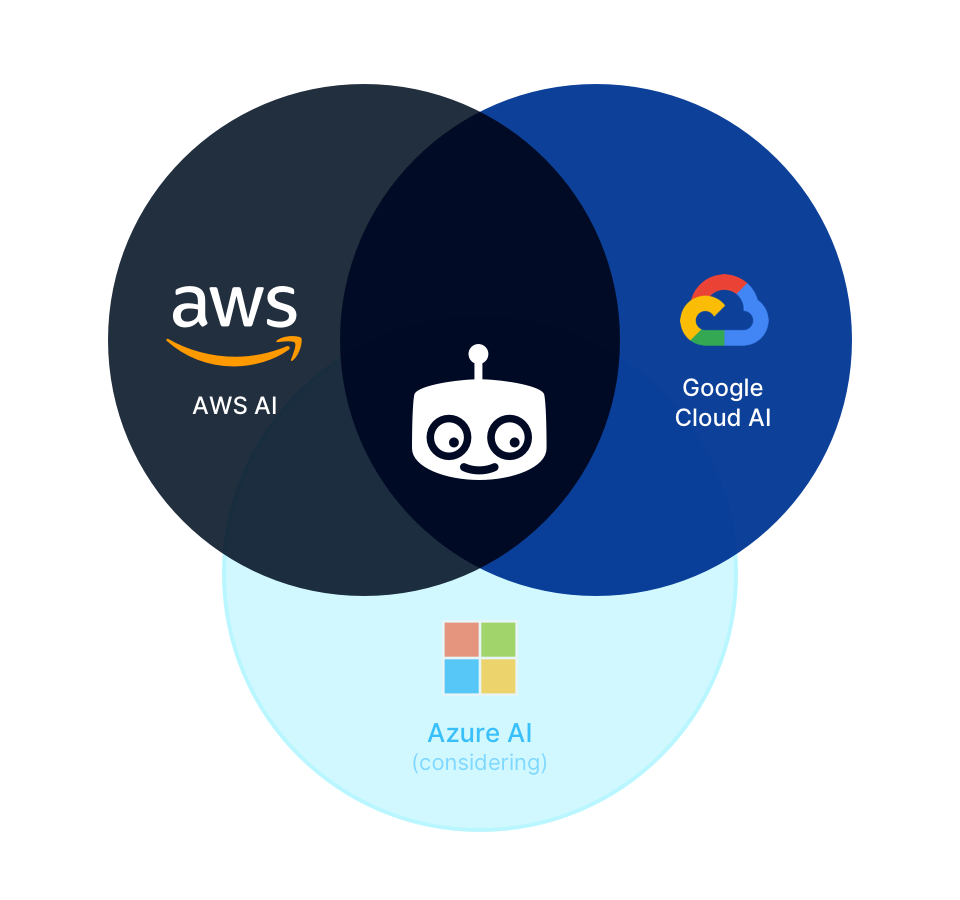
And, just like we are powering our /image/facedetect AI
Robot ourselves, when it becomes feasible in the future to run high-quality transcription
AI ourselves, you may find we add a provider: 'transloadit' to the
/speech/transcribe Robot, offered at a lower
price.
What does "tech preview" mean?
It means that you can start using this tech today! We might still make changes to the API and pricing (but we do not foresee them outside of adding more features).
How do I get started?
After signing up, pick a programming language of choice, and crank out an integration! Sounds hard? Let's look at a demo.
<!-- This pulls Uppy from our CDN -->
<!-- For smaller self-hosted bundles, install Uppy and plugins manually: -->
<!-- npm i --save @uppy/core @uppy/dashboard @uppy/remote-sources @uppy/transloadit ... -->
<link
  href="https://releases.transloadit.com/uppy/v3.10.0/uppy.min.css"
  rel="stylesheet"
/>
<button id="browse">Select Files</button>
<script type="module">
  import {
    Uppy,
    Dashboard,
    ImageEditor,
    RemoteSources,
    Transloadit,
  } from 'https://releases.transloadit.com/uppy/v3.10.0/uppy.min.mjs'
  const uppy = new Uppy()
    .use(Transloadit, {
      waitForEncoding: true,
      alwaysRunAssembly: true,
      assemblyOptions: {
        params: {
          // It's often better store encoding instructions in your account
          // and use a `template_id` instead of adding these steps inline
          steps: {
            ':original': {
              robot: '/upload/handle',
            },
            described: {
              use: ':original',
              robot: '/image/describe',
              result: true,
              format: 'meta',
              granularity: 'list',
              provider: 'aws',
            },
            filtered: {
              use: 'described',
              robot: '/file/filter',
              result: true,
              accepts: [['${file.meta.descriptions}', 'includes', 'Building']],
            },
            exported: {
              use: 'filtered',
              robot: '/s3/store',
              credentials: 'demo_s3_credentials',
              url_prefix: 'https://demos.transloadit.com/',
            },
          },
        },
      },
    })
    .use(Dashboard, { trigger: '#browse' })
    .use(ImageEditor, { target: Dashboard })
    .use(RemoteSources, {
      companionUrl: 'https://api2.transloadit.com/companion',
    })
    .on('complete', ({ transloadit }) => {
      // Due to `waitForEncoding:true` this is fired after encoding is done.
      // Alternatively, set `waitForEncoding` to `false` and provide a `notify_url`
      console.log(transloadit) // Array of Assembly Statuses
      for (const assembly of transloadit) {
        console.log(assembly.results) // Array of all encoding results
      }
    })
    .on('error', (error) => {
      console.error(error)
    })
</script>
We're uploading two photos, one of which contains bridges:

When I check the meta.descriptions of the results of the described Step, I'll see:
[ 'Water',
'Outdoors',
'Bridge',
'Building',
'Canal',
'Castle',
'Architecture',
'Fort' ]
https://demos.transloadit.com/53/fae6219071430cb7b794cf9f3513c2/prinsengracht.jpg
Only photos with 'Building' are allowed through, so the photo of our chameleon would not have been
saved on S3 in the proper location either.
In such cases you could choose to:
- gracefully ignore
- error out hard
- pipe unrecognized images to an export Step that uses a different directory, like
./flagged-for-review/
Here are more related AI demos with code samples for all major platforms:

Artificial Intelligence
Recognize and reject certain objects in images
Artificial Intelligence
Transcribe speech in audio or video files
Artificial Intelligence
Detect faces in images
Docs
Since these Robots remain in Tech Preview for now, we could still change the implementation, but we've already written preliminary documentation:
Have fun!
We're happy to expand this post, our docs, and how the bots work, based on your feedback. Just leave a comment below or on Twitter.