

Convert Markdown files to HTML or PDF in seconds

Markdown helps web content creators, like myself, to easily write text that is suitable for the web. It allows just enough formatting so that humans can still make sense of it, while computers are able to render it with style, using HTML and CSS. Markdown is platform-agnostic, and its syntax can be learned in as little as five minutes. While some argue there are superior formats available, it stands without question that Markdown has become the lingua franca among developers who write blog posts and documentation. It's even used in many day-to-day web applications like Reddit, Gmail, and GitHub. If Markdown hasn't yet become second nature to you, there are many resources available online, such as this cheat sheet that I kept on hand when I took my first steps.

The last time we covered our /document/convert Robot back in late 2019, the Robot was still in its infancy and could only convert between the SRT and VTT formats. Since then, the Robot has been upgraded with many additional formats.
Today, I'm happy to share that we have expanded our /document/convert Robot's file support to include Markdown! You can now automatically turn Markdown files into web pages or even PDFs. Quickly generate invoices, contracts, or sales order forms as Markdown, pass them to our /document/convert Robot, and have them rendered as PDFs to be saved in your S3 bucket. Or maybe you are selling to enterprises that require documentation to be provided as PDFs? Plug Transloadit into your CI and continue writing Markdown 😄
How to convert from Markdown to html/pdf
One new parameter for the /document/convert Robot
is markdown_format. This parameter is necessary as Markdown has several
variants that each
come with their own subtle differences. Transloadit currently supports "commonmark" and
"gfm" (GitHub Flavored Markdown) as values.
As we mentioned above, input files in Markdown can be converted into either "html" or "pdf" by
combining this new parameter with our previously existing format parameter.
To guide you through the process of using this new feature, we have created the script below:
Before running it, create your own named Amazon S3 Template Credential
using the S3 setup guide. Replace
YOUR_AWS_CREDENTIALS with its saved name. Use a private bucket with S3 Block Public Access
enabled and do not supply ACL or grant headers. Setting acl to bucket-default omits the
generated ACL header; it does not make the bucket private.
// yarn add transloadit@3
const Transloadit = require('transloadit')

;(async () => {
  const transloadit = new Transloadit({
    authKey: process.env.TRANSLOADIT_AUTH_KEY,
    authSecret: process.env.TRANSLOADIT_AUTH_SECRET,
  })

  const assemblyStatus = await transloadit.createAssembly({
    waitForCompletion: true,
    params: {
      steps: {
        imported: {
          robot: '/http/import',
          url: 'https://raw.githubusercontent.com/transloadit/uppy/master/README.md',
        },
        converted: {
          use: 'imported',
          robot: '/document/convert',
          format: 'pdf',
          markdown_format: 'gfm',
        },
        thumbed: {
          use: 'converted',
          robot: '/document/thumbs',
          density: '300',
          trim_whitespace: false,
        },
        exported: {
          use: ['converted', 'thumbed'],
          robot: '/s3/store',
          credentials: 'YOUR_AWS_CREDENTIALS',
          acl: 'bucket-default',
        },
      },
    },
  })

  const pdf = assemblyStatus.results.converted[0]
  const thumb = assemblyStatus.results.thumbed[0]

  console.log(`Your PDF (${pdf.meta.page_count} pages) is ready at: ${pdf.ssl_url}`)
  console.log(`Here's a thumbnail of the first page: ${thumb.ssl_url}`)
})().catch((err) => {
  console.log(err)
  process.exit(1)
})
This is a Node.js script, but the workflow can now be integrated into your web/mobile app, back-end service, or command-line utility via 20 convenient SDKs like Uppy or the Go SDK, as well as directly via our JSON REST API.
Our script is comprised of a few Steps:
- Importing a Markdown file using our /http/import Robot
- Converting this Markdown to PDF
- Creating preview thumbnails of each of the PDF's pages using the /document/thumbs Robot
- Saving the resulting files to S3
To run the script, we used the following commands:
# Find your Auth Key and Auth Secret: https://transloadit.com/docs/api/authentication/
export TRANSLOADIT_AUTH_KEY=****
export TRANSLOADIT_AUTH_SECRET=********
node md-to-pdf.js
The script prints the PDF and thumbnail URLs. A returned URL does not grant public read access to a private object; you need separate read authorization to retrieve it. This example thumbnail shows the rendered Markdown:
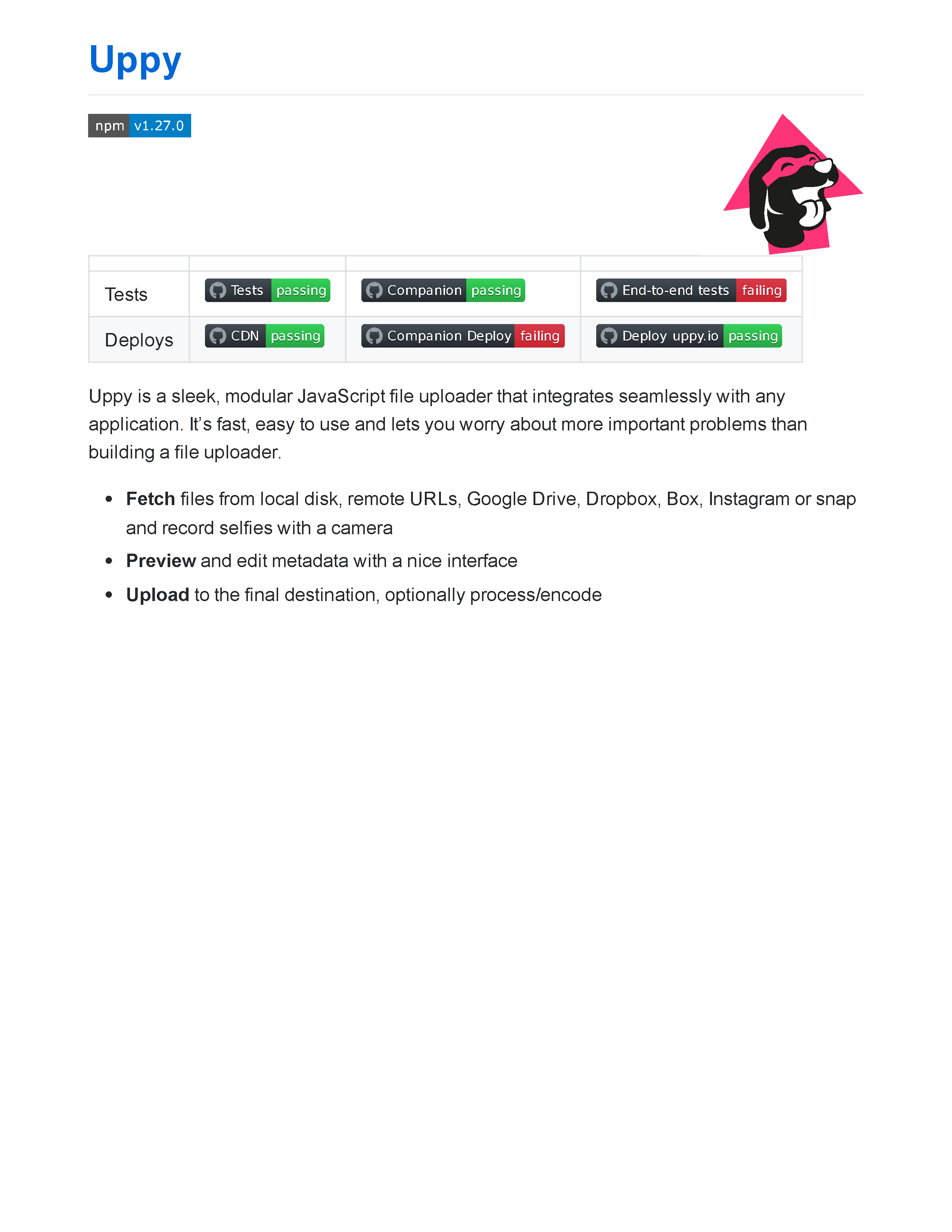
You'll see that our PDF was rendered using the GitHub Markdown style. These
themes belong to the Markdown renderer, rather than
Markdown itself. To control the rendering theme, use the
markdown_theme parameter. Two values are currently supported: "github" (default) and "bare".
Closing up
That's all! We hope to see you include our improved /document/convert Robot in your Transloadit workflow. And as usual, please reach out on Twitter if you have any feedback. Know that Transloadit offers a handsome 5GB/mo of traffic with our free Community Plan. So any developer can use this without swiping their credit card. 5GB amounts to a lot of PDFs so consider signing up 😄