

Social-style captions with the spoken word highlighted

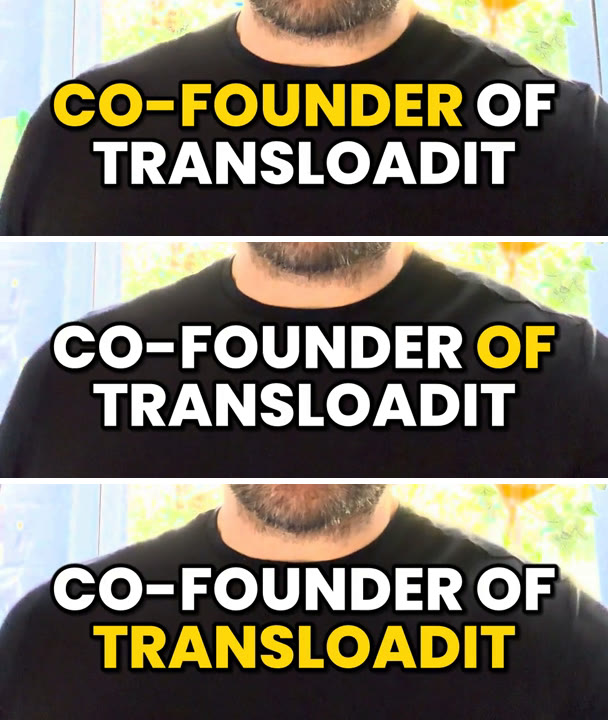
Most short videos on social media are watched with the sound off, so the captions carry the story. Plain subtitles, thin text with a full sentence at the bottom of the frame, are easy to scroll past. The captions that hold attention look different: a few words at a time, big and bold, with the word being spoken lighting up.
Until now you needed a video editor or a separate captioning tool for that look. Now one command does it: upload a video, and get it back with those captions burned in.
Kevin, co-founder of Transloadit, captioned by the command below and served from Transloadit Storage. Press play with sound to compare.
One command
npx -y @transloadit/node assemblies create \
  --template builtin/caption-video@0.0.2 \
  --field style=social \
  --field vocabulary=Transloadit \
  -i video.mp4 -o out/
builtin/caption-video is a ready-made Template: it transcribes the video with
🤖 /speech/transcribe and burns the captions in with
🤖 /video/subtitle. Next to the captioned video, out/ gets the
transcript as JSON, with a timestamp for every word, and as SRT, so you can also offer captions your
viewers can switch off.
Leave out --field style=social and you get plain subtitles instead:
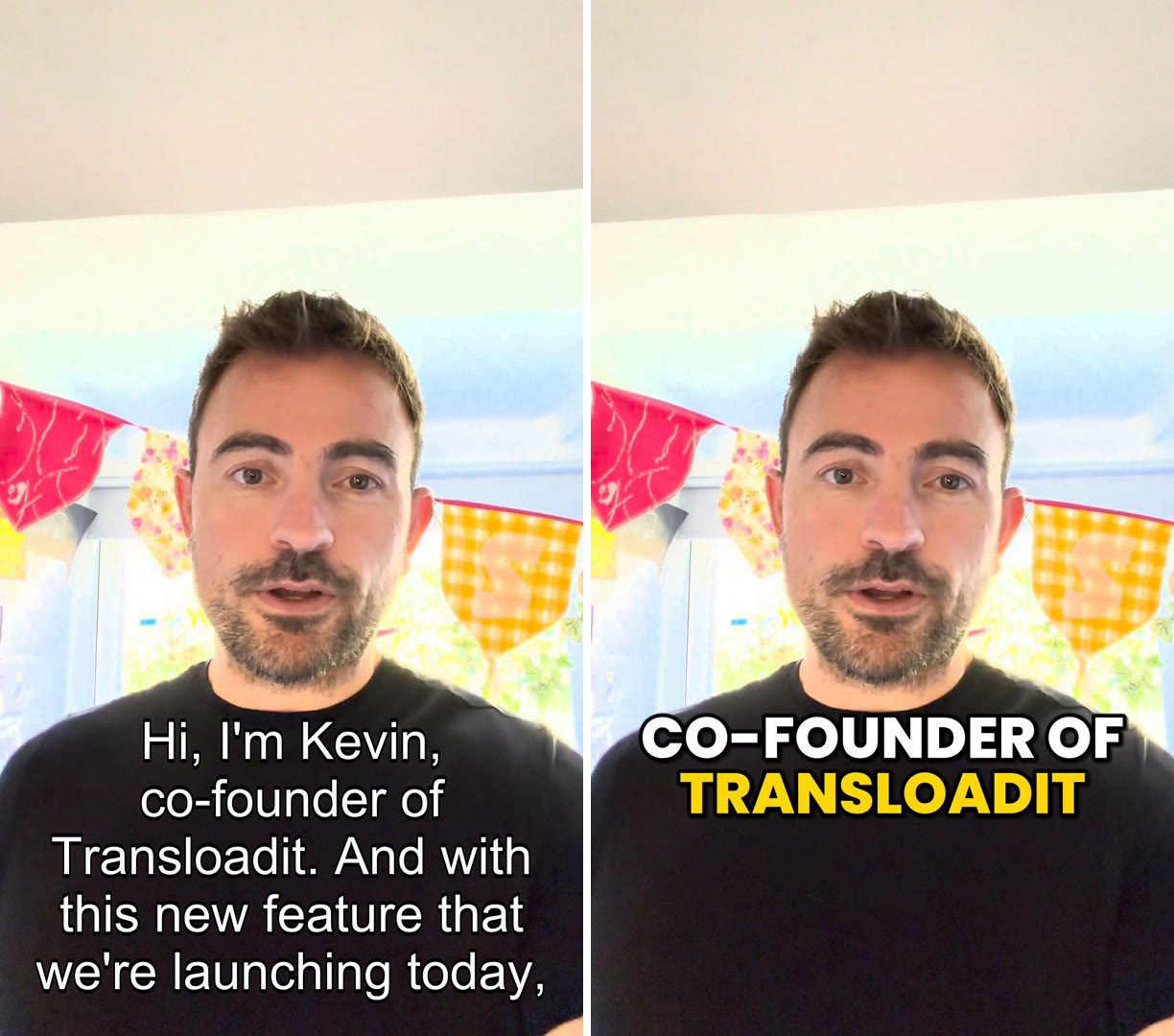
Spell your brand right
Speech recognition knows common words, not your product names. Without help, the clip above came
back as “co-founder of Transloaded”. --field vocabulary=Transloadit gives the transcription the
words to listen for. Separate several terms with commas, as in vocabulary=Transloadit,Uppy,tus.
Every complete case-insensitive match also comes back in the spelling you gave, so “transloadit”
becomes “Transloadit”.
Vocabulary hints work with the default provider and with "provider": "gcp". AWS only supports
vocabularies that are prepared in advance, so the combination with "provider": "aws" returns a clear
error instead of silently ignoring your words.
What the social style does
- Few words at a time. Captions normally contain up to three words. Short phrases can stay together, and a sentence-final word can join the previous caption, allowing at most one extra word. A caption ends early at the end of a sentence or at a pause longer than 0.4 seconds, so captions follow the rhythm of speech rather than the transcription provider’s segments. A trailing English word such as “by” or “to” moves to the next caption when possible: you get “YOU’RE FREAKED OUT” and then “BY MY ROBOT”, not a caption that ends on “by”.
- The spoken word lights up. The active word turns yellow and stays highlighted through short gaps until the next word starts. The other words stay where they are, so the line doesn’t jump while you read it.
- Readable on any background. Uppercase Poppins ExtraBold in the lower third, with a thick outline and a soft shadow.
- Fits vertical, square and landscape video. With the default automatic sizing, JSON captions
shrink or wrap to a second line to fit the frame, without breaking a word. Setting
font_sizedisables this automatic fitting. - A short pop. Each caption grows from 85% to full size over 120 milliseconds when it appears.
Make it yours
The Template takes these fields:
highlight_colorsets the color of the active word (defaultFFD60A).font_color,font_size,border_colorandpositionwork as for plain subtitles.provider,source_language,target_languageandvocabularycontrol the transcription.
The default provider detects the spoken language automatically. Use target_language for an
optional spoken-language hint, such as german. For AWS and GCP, use source_language instead,
with a language code such as de-DE. Neither field translates the speech.
Build it into your own Template
To add captioning to your own Template, chain these two Steps in an existing pipeline, for example after an upload from Uppy or before encoding to HLS:
{
  "steps": {
    ":original": {
      "robot": "/upload/handle"
    },
    "transcribed": {
      "use": ":original",
      "robot": "/speech/transcribe",
      "format": "json",
      "vocabulary": ["Transloadit"]
    },
    "captioned": {
      "robot": "/video/subtitle",
      "use": {
        "steps": [
          { "name": ":original", "as": "video" },
          { "name": "transcribed", "as": "subtitles" }
        ]
      },
      "subtitles_type": "burned",
      "style": "social",
      "preset": "empty",
      "ffmpeg_stack": "v7",
      "result": true
    }
  }
}
/video/subtitle accepts the timestamped JSON from /speech/transcribe as subtitles. Word
highlighting, grouping and uppercase need that JSON. SRT and VTT subtitles also take the social font
and size, but keep their own lines and timing. ASS files keep their own styles. With
max_words_per_caption you set the target maximum number of words a caption shows, with the
social phrasing adjustments described above. "preset": "empty" keeps the
input’s container, so an MP4 comes back as an MP4.
Get started
Run the command above with your own video, or try the Steps in the Template editor. The 🤖 /video/subtitle documentation lists every parameter.