

The file pipeline behind care platforms
Intake forms, care videos, and clinician photos, virus-scanned, searchable, and processed in your region.
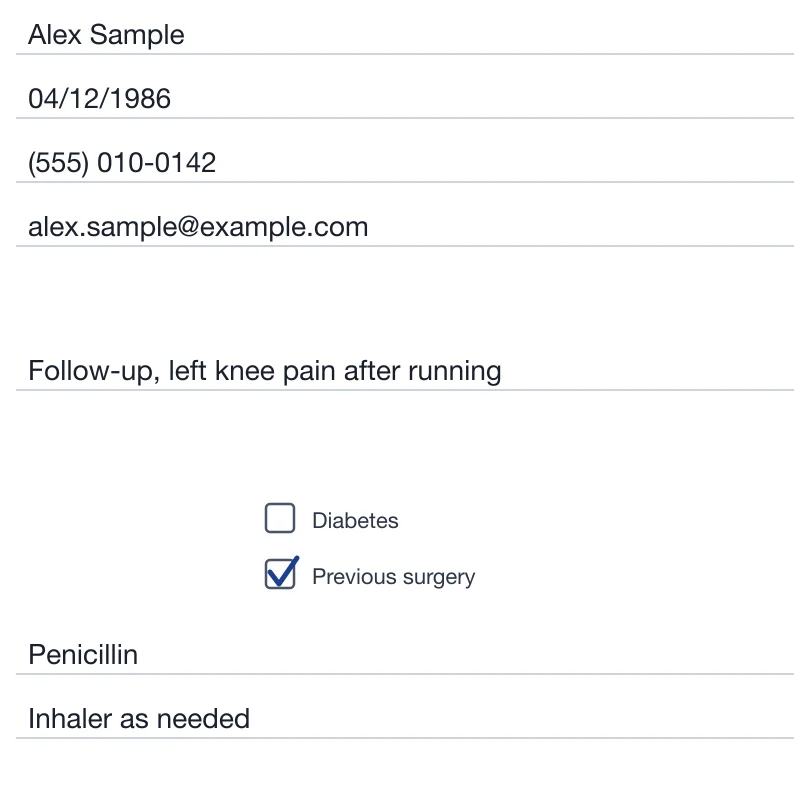
Text found with OCR 
Clinician avatar 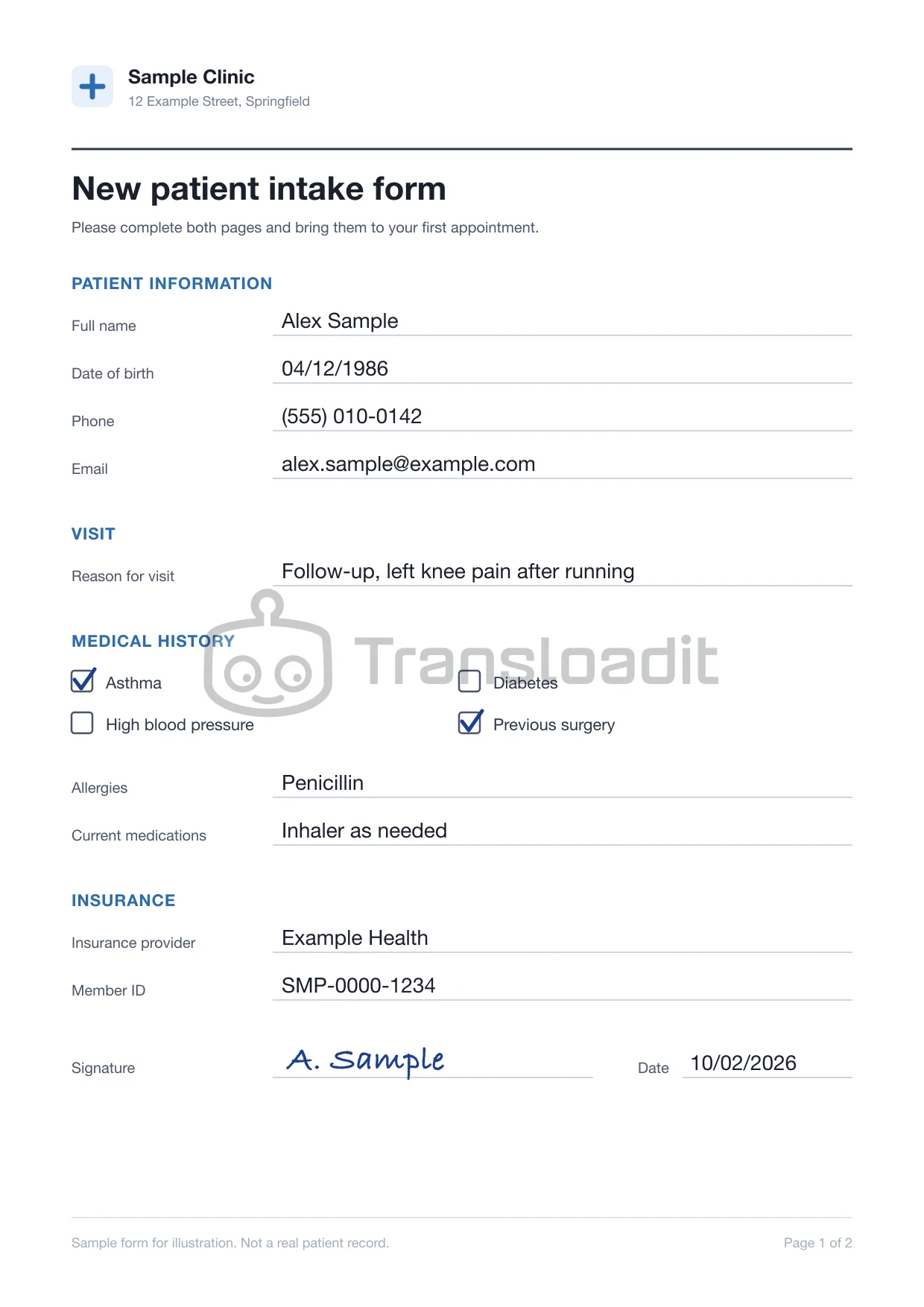
Watermarked copy - PDFintake-form.pdfJPGintake-form.jpg
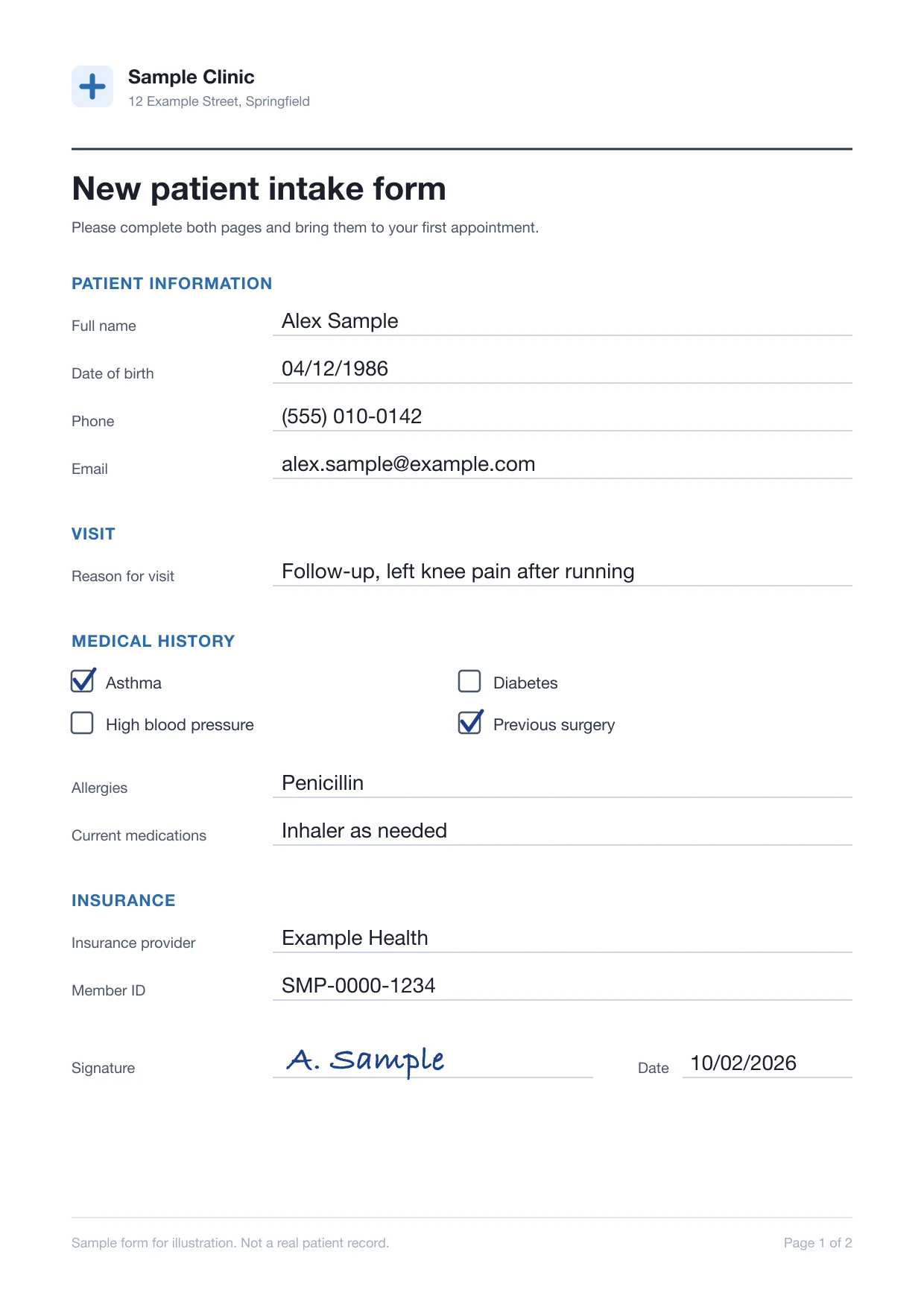
Converted to PDF  referral-documents.zipMalware detected
Scanned for viruses Video ready to stream
Trusted since 2009 by
the world’s most ambitious platforms.










One pipeline for every patient file
Prepare care videos, check every patient upload, and route mixed clinical files through reusable processing Templates.
Care videos, ready for playback
Encode rehab and health education videos for adaptive HLS playback, with poster frames from the same upload.
Every patient upload checked first
Virus-scan every file and refuse the types your intake flow does not accept, before anything reaches a care team.
 insurance-card.jpg
 referral-letter.pdflab-results.zipintake-form.pdf
 records-export.pptx
 rehab-exercise.mp4prescription.jpg
Each file type gets the processing it needs
Scanned forms, photos, referral letters, and recorded videos are routed by file type and source, each through the processing it needs.
- File
- intake-form.pdf
- Source
- Patient app
- Routed through
- /document/autorotate
- /document/ocr
- File
- insurance-card.jpg
- Source
- Patient app
- Routed through
- /image/resize
- /image/ocr
- File
- referral-letter.pdf
- Source
- Referral inbox
- Routed through
- /file/virusscan
- /document/thumbs
- File
- rehab-exercise.mp4
- Source
- Physiotherapist
- Routed through
- /video/encode
- /video/adaptive
- File
 discharge-notes.docx
- Source
- Care team
- Routed through
- /document/convert
- /s3/store
- File
- education-talk.mp4
- Source
- Health education
- Routed through
- /speech/transcribe
- /video/subtitle
- File
- prescription.jpg
- Source
- Patient app
- Routed through
- /image/ocr
- File
- consent-form.pdf
- Source
- Front desk
- Routed through
- /document/optimize
- /s3/store
- File
- clinic-photo.jpg
- Source
- Marketing
- Routed through
- /image/resize
- /image/optimize
- File
- lab-results.zip
- Source
- Referral inbox
- Routed through
- /file/virusscan
- /file/decompress
- File
- aftercare-guide.pdf
- Source
- Care team
- Routed through
- /document/thumbs
- File
- patient-leaflet.docx
- Source
- Health education
- Routed through
- /document/convert
- /text/translate
What patients and care teams notice
The pipeline stays out of sight. What your users see is intake forms they can search, exercise videos with captions, large uploads that finish on the first try, and visits with a draft transcript.
Scanned intake forms show up in search
Scanned forms are turned upright and their printed text read by OCR, so your search finds a form by what it says.
Exercise videos play with captions
Speech is transcribed and burned in as subtitles, so patients can follow along with the sound off.
Stand tall and let your arms relax.Now raise both arms to shoulder height.Hold it there, then lower them slowly.Sound offLarge scans arrive on the first try
Resumable uploads of up to 200 GB per file, depending on plan, pick up where they left off after a dropped connection.
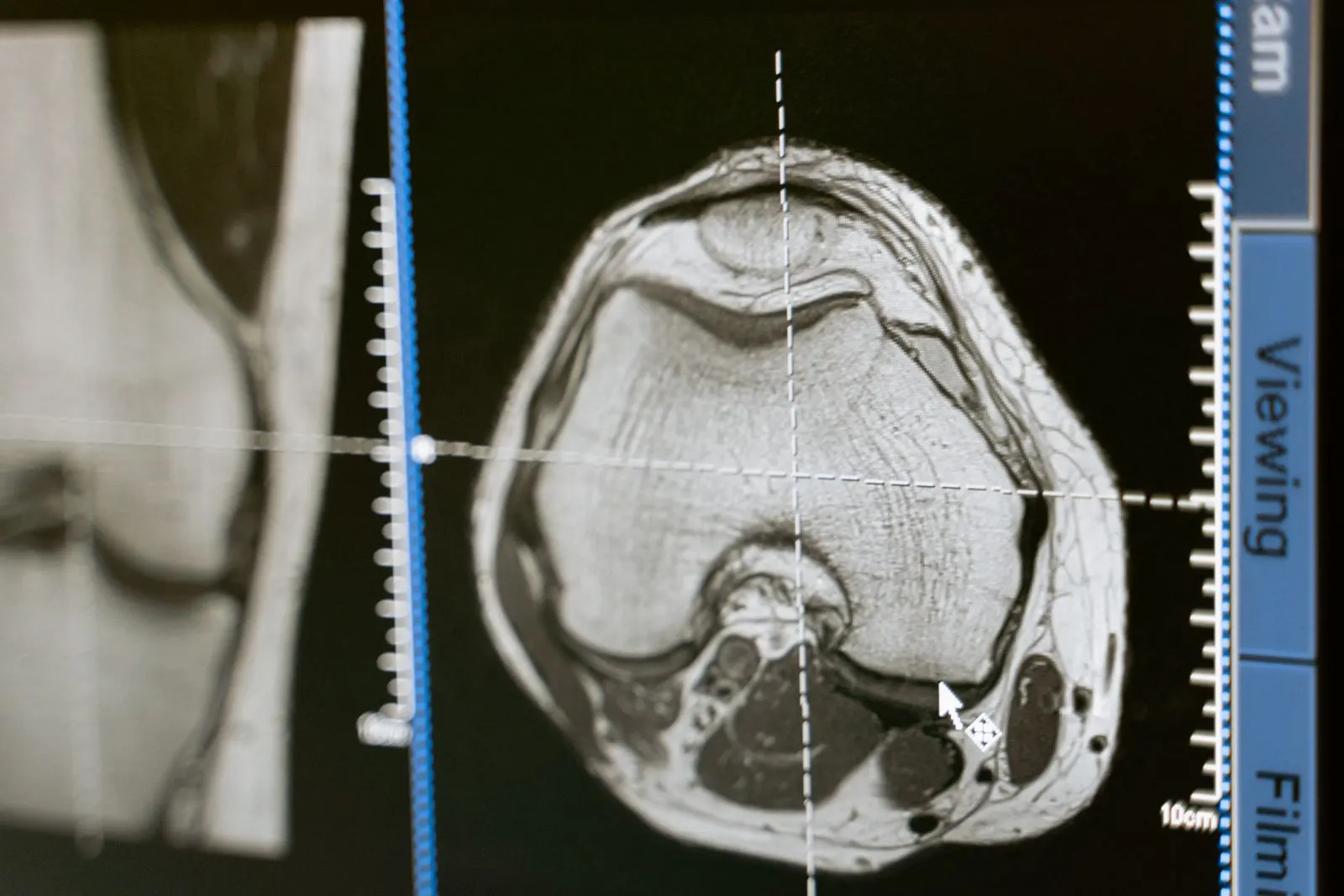 knee-mri-series.zip2.6 GBUploading part 1 of 8
Telehealth visits arrive with a draft transcript
Recorded visits play beside a draft transcript, for clinicians to review before anything is filed.
- Take one tablet with food, twice a day.
- If the knee still hurts in a week, call us.
- I’ll send the plan to your patient portal.

Using Transloadit saves development and maintenance. Being able to focus on our product instead of reinventing the wheel cannot be understated.What can Transloadit help with?
Six workflows care and telehealth platforms build on Transloadit. Each one is a Robot, or a recipe of them, already in our library.
Resumable patient uploads
Resumable uploads for patients sending forms, photos, and records from their phone, even when the connection drops halfway.
Scanned forms, as searchable text
Extract the text from scanned intake forms and referral letters, ready for your team to review and file.
Previews for every document
Turn referral letters, lab PDFs, and discharge notes into preview images, next to the original document.
Phone photos, accepted as they come
Convert HEIC photos from patients’ phones, fix rotation, and strip location metadata before a photo reaches a care team.
Every file checked first
Virus-scan every upload and refuse the file types your intake flow does not accept, before anything is stored.
Care videos that play anywhere
Encode rehab exercises and health education videos for adaptive HLS playback, with poster frames from the same Assembly.
You keep the patient records.
We run the file pipeline.
Transloadit is the processing layer, not a replacement for your EHR, patient portal, or clinical systems. Here is exactly where the line sits, so nobody discovers it during integration.
What stays with your care platform
- 01Patient records, consent, and who can open each file
- 02Clinical review of extracted text and every decision made from it
- 03Which files are attached to which record
- 04Retention and deletion under your own policies
What Transloadit handles
- 01File upload or import and server-side processing execution
- 02Image, document, video, metadata, and export steps
- 03Structured Assembly status and retryable notifications
- 04Processing in the region you pin each job to
Ship care features, not file infrastructure
Intake forms, photos, and care videos share one integration, so a new file type needs no new service.
Stuck queues, crashed workers, and library upgrades are ours. Files process in parallel.
ISO 27001 and SOC 2 Type II, a DPA, signed uploads, and processing in the US, EU, or Asia Pacific.
Workers scale for enrollment periods and record imports. Work beyond your plan’s job slots queues instead of failing.
Files export to your own S3, GCS, Azure, or R2. Temporary copies are purged after 24 hours by default.
Maintained SDKs for Node.js, Python, Go, and more, and workflows you version like code.
Questions from health tech teams
The answers we would give on an evaluation call, including the cases where another tool is the better choice.
Can we process patient data with Transloadit?
HIPAA-regulated workloads require a Business Associate Agreement. Talk to the team to confirm the agreement and the scope of your workflow before any patient data is sent, and evaluate with nonsensitive sample files until then. AI Steps such as OCR and transcription use third-party providers, so include them when you confirm scope.
Can we choose where files are processed?
Yes. Pin each job to a US, EU, or Asia Pacific processing region, and export results to storage in the region you choose. Read how regional processing works
How are patient files protected?
Our API supports HTTPS to encrypt data in transit, and sensitive data at rest is encrypted with AES-256. Temporary processing copies are purged automatically, and originals and outputs are exported to storage you own. Read the security overview
How do we make sure only our patients can upload?
Sign every upload request on your backend with an expiry, so only the parameters you approved can run. Filter Steps reject files by type, size, or duration before processing, and virus scanning stops malware before a file reaches your storage. Read about Signature Authentication
What happens during enrollment periods and bulk imports?
Workers autoscale with demand, so there is nothing to provision ahead of a peak. Your plan’s Priority Job Slots set how many jobs run at once; additional work queues instead of failing, and you can reserve extra slots ahead of a planned peak.
Is extracted text used to make clinical decisions?
No. Transloadit returns OCR text and transcripts as Assembly results. Your platform decides where they go, and we recommend clinical review of anything a care decision depends on.
Is Transloadit an EHR, PACS, or patient portal?
No. Transloadit is the processing layer between your uploads and your storage. Patient records, access control, and clinical viewers stay in your platform and the systems you already run.
Care files, on one API.
Run nonsensitive sample files through your first pipeline, and export the previews, text, and formats your care team needs to your own storage.