

Generating meaningful file previews

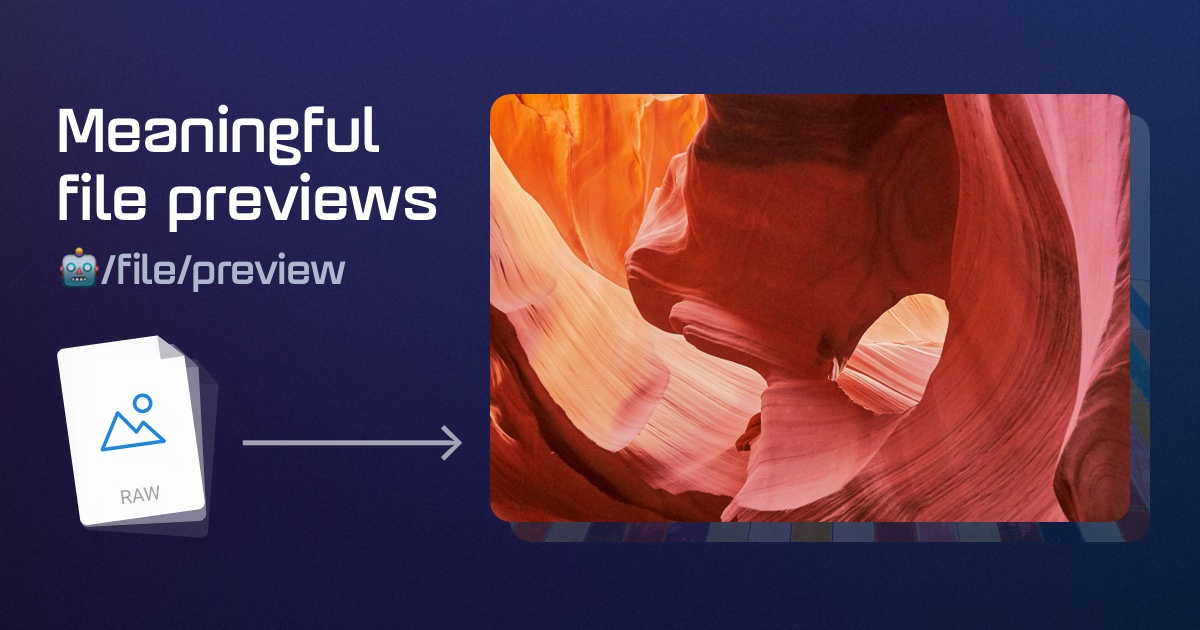
We're proud to introduce our new /file/preview Robot — a Transloadit feature designed to automatically create meaningful previews for all file types. Whether you need video thumbnails, audio album art or waveforms, document page previews, website screenshots, or archive icons, this Robot can deliver previews that help humans identify files quickly. We handle the complexity of the various file types, while you can focus on building your app.
The Robot can be deployed with a few lines of JSON, and uses smart strategies under the hood to keep costs low and performance high. Leveraging it can drastically reduce perceived friction in your app, and drives user engagement and retention.
What can it do?
🤖/file/preview is designed to create meaningful previews that help users quickly identify file contents. It supports:
 Images: Optimized thumbnails for any image (even RAW:
)
Videos: Frame extracts or short clips:
(or icon when range downloads are unsupported:
)
Audio: Embedded artwork (or waveform visualization if not available:
)
Documents: First page previews
Web Pages: Page screenshots
Archives: Type-specific icons

The Robot is designed to be fast and efficient and it does not need to download a full 4GB video in order to produce a 20KB thumbnail. Instead, the Robot only downloads the relevant chunks of the video, which lets it create beautiful previews for 99.9% of files at a very low cost.
For the remaining 0.1% of files, the Robot gracefully falls back to showing a type-specific icon as with the archive example above.
The Robot is designed to offer pragmatic and beautiful defaults out of the box, but its behavior can be fully customized. More on that below.
Why Transloadit?
Generating previews for a wide range of files is complex due to the vast landscape of image formats, video codecs, and document types. This complexity is especially pronounced for niche customers, such as photographers working with raw image formats, or users handling various Microsoft Office documents. Due to the constant evolution of image and video formats, one has to consistently invest into keeping up and supporting the latest formats. Transloadit supports over 700 different file types.
Building a custom, in-house solution for file preview generation requires substantial engineering resources to cover even a subset of the numerous file types and binds these resources long-term as the in-house solution needs to be maintained and updated for new formats. Additionally, processing user-uploaded files is a delicate manner that can make your infrastructure susceptible to vulnerability in the various file processing tools. Instead, consider outsourcing file preview generation to Transloadit, protecting your infrastructure and allowing your engineering team to focus on creating the best possible service for your customers, while Transloadit handles the complex part of file previews.
🤖/file/preview can be combined with 96 other Robots to create workflows unique to your business, and those workflows can be put to work to transform any part of your file pipeline. Transloadit can work directly on your end-user's uploads, import large media libraries, or even convert files on-demand, streaming optimized results directly to browsers using our Smart CDN.
Implementation options
You have several ways to deploy 🤖/file/preview, but the best way to start is to create a Template that references this Robot. A Template is a JSON recipe in your account that describes what Transloadit should do with your files. You can create a Template in the Template Editor in your account, or via our Terraform Provider Plugin.
Pre-processing
With pre-processing, you create and save the previews in your storage. This is typically done when the file is uploaded by the user for the first time, well before your end-user requests a preview. Pre-processing like this can save latency on the first request, at the trade-off of more encoding and storage costs, as well as a more complex integration than on-demand.
Transloadit can handle uploads of the originals, generate previews and then save in your storage. To make Transloadit handle uploads, reference 🤖/upload/handle in your Template like so:
{
  "steps": {
    ":original": {
      "robot": "/upload/handle"
    },
    "previewed": {
      "robot": "/file/preview",
      "use": ":original",
      "width": 300,
      "height": 200
    },
    "stored": {
      "use": ["previewed", ":original"],
      "robot": "/s3/store",
      "credentials": "YOUR_AWS_CREDENTIALS",
      "path": "my_target_folder/"
    }
  }
}
The uploads typically come from browsers (via e.g. Uppy), but back-end SDKs can upload files as well.
Let's zoom in on the browser use case first.
Front-end uploads
Transloadit could handle browser uploads that end-users perform using Uppy, our
open source file uploader for web browsers. When accepting files, Transloadit will follow the
Template's Instructions, hence generate previews and store them in your S3 bucket. The
originals will be saved as well, because in the "stored" step we had:
"use": ["previewed", ":original"].
Here is the browser code that you would use:
import Uppy from '@uppy/core'
import Dashboard from '@uppy/dashboard'
import Transloadit from '@uppy/transloadit'

import '@uppy/core/dist/style.min.css'
import '@uppy/dashboard/dist/style.min.css'

const uppy = new Uppy()
  .use(Dashboard, {
    inline: true,
    // This is the element where the dashboard will be rendered:
    target: '#uppy-dashboard',
  })
  .use(Transloadit, {
    waitForEncoding: true,
    assemblyOptions: {
      params: {
        auth: { key: 'YOUR_AUTH_KEY' },
        // Here you would refer to the Template we created above:
        template_id: 'YOUR_TEMPLATE_ID',
      },
    },
  })

uppy.on('transloadit:complete', (assembly) => {
  const { previewed = [] } = assembly.results
  if (previewed.length > 0) {
    console.log('Preview URL:', previewed[0].ssl_url)
  }
})
Uppy was created by Transloadit, and has become the number one open-source file uploader for web browsers. It packs more features than this post has room for, so please refer to the Uppy website for more information.
There are also SDKs for Android and iOS, in case you want to integrate with native mobile apps.
Back-end uploads
Back-ends can upload to Transloadit just as well. Here is how it would look like in Node.js:
// $ npm install transloadit
const transloadit = new Transloadit({
  authKey: 'YOUR_AUTH_KEY',
  authSecret: 'YOUR_AUTH_SECRET',
})

const assembly = await transloadit.createAssembly({
  // Here you would refer to the Template we created above:
  template_id: 'YOUR_TEMPLATE_ID',
  files: [fs.createReadStream('./file.mp4')],
  waitForCompletion: true,
})

console.log(assembly.results.stored[0].ssl_url)
There are SDKs for many more backend languages that make it easy to integrate, but you could also interface with our REST API directly.
Imports
Instead of letting Transloadit handle uploads, Transloadit can import files from cloud sources like S3, generate previews, and export them back to S3 or other storage providers. This could be done for a single file, or for entire buckets containing many terabytes of files.
Just as an example, we'll also add 🤖/file/filter to the Template below, to showcase how you could filter on file type, and in this case only generate previews for audio files. This could be adapted to filter on other properties, such as file size, bitrate, media type, etc. Here is the full Template that you would create in the Template Editor in your account:
{
  "steps": {
    "imported": {
      "robot": "/s3/import",
      "credentials": "YOUR_AWS_CREDENTIALS",
      "path": "my_source_folder/"
    },
    "audio_filtered": {
      "use": "imported",
      "robot": "/file/filter",
      "accepts": [["${file.type}", "==", "audio"]],
      "error_on_decline": false
    },
    "previewed": {
      "robot": "/file/preview",
      "use": "audio_filtered",
      "width": 300,
      "height": 200,
      "format": "png"
    },
    "stored": {
      "use": "previewed",
      "robot": "/s3/store",
      "credentials": "YOUR_AWS_CREDENTIALS",
      "path": "my_target_folder/"
    }
  }
}
You can reference and execute this Template with any of our SDKs. In Node.js it would look like this:
// $ npm install transloadit
const transloadit = new Transloadit({
  authKey: 'YOUR_AUTH_KEY',
  authSecret: 'YOUR_AUTH_SECRET',
})

const assembly = await transloadit.createAssembly({
  template_id: 'YOUR_TEMPLATE_ID',
  waitForCompletion: true,
})

// The first of potentially millions of preview URL:
console.log(assembly.results.stored[0].ssl_url)
On-demand
Finally, you can also generate previews on-demand using our Smart CDN. This means Transloadit does no work until a user requests the preview. Transloadit then imports the original file from your storage, generates the preview, and serves it directly to the end-user. We cache the result close to the end-user.
This has the following benefits:
- The preview only gets created when users request it, saving costs on media files that are not actually requested.
- The result is automatically cached in datacenters close to your users, so that the next time someone requests the same preview, it will be served even faster, and with no encoding charges.
- Integrating is simpler, as you don't need to process the previews yourself (save them, store references, etc.). Instead you simply create a Template and add a Smart CDN URL for the asset to your webpage or app.
- You can tailor the preview to the end-user's device, resolution, bandwidth, etc. This means you're not wasting bytes on delivery that doesn't translate in a better user experience. This saves bandwidth, battery, and time.
If you want to learn more about the trade-offs between on-demand and pre-processing, and run interactive cost and latency calculations, please refer to our post: Reduce costs & latency with Transloadit's Smart CDN file previews.
Here is an example Template that instructs Transloadit to import an image from S3, generate a preview, and serve it using our Smart CDN:
{
  "steps": {
    "imported": {
      "robot": "/s3/import",
      "credentials": "my-s3-credentials",
      "path": "/images/${fields.input}"
    },
    "previewed": {
      "use": "imported",
      "robot": "/file/preview",
      "width": "${fields.w}"
    },
    "served": {
      "use": "previewed",
      "robot": "/file/serve"
    }
  }
}
And integrating is as simple as adding a URL to your webpage:
https://my-workspace.tlcdn.com/my-template/file.mp4?w=300
In this example, the my-template is the name of the Template we created above, ${fields.input}
is substituted with /file.mp4, and ${fields.w} with 300, both from the URL.
Customize the preview
While 🤖/file/preview offers pragmatic and beautiful defaults out of the box, you can control its output using several parameters to match your app's look and feel:
format: Output format for the thumbnail ("jpg","png", or"gif")widthandheight: Dimensions in pixels (1-5000)resize_strategy: How to fit the preview into dimensions (default:"pad")background: Background color for padding in hex format (#rrggbb[aa])strategy: Customize preview generation per file type (audio, video, image, etc.)
For audio waveforms:
waveform_center_colorandwaveform_outer_color: Gradient colors in hex formatwaveform_heightandwaveform_width: Waveform dimensions
For icons:
icon_style:"with-text"(default) or"square"icon_text_color: Text color in hex formaticon_text_font: Font family (e.g.,"Roboto")icon_text_content: Text content ("extension"or"none")
For video clips:
clip_format: Animation format ("webp","apng","avif", or"gif")clip_offset: Start position in secondsclip_duration: Length in secondsclip_framerate: Frames per second (1-60)clip_loop: Whether to loop the animation
For image optimization:
optimize: Enable file size optimizationoptimize_priority:"conversion-speed"or"compression-ratio"optimize_progressive: Enable progressive loading
For more information, please refer to the 🤖/file/preview documentation.
Security considerations
To protect your files and control access to the preview functionality, we recommend implementing request signing for front-end integrations (Uppy, Smart CDN, mobile). For Smart CDN delivery in particular, use signed Smart CDN URLs so only authorized users can generate new variations of your files.
For detailed information, including examples in many programming languages, please refer to our documentation on Smart CDN signed URLs.
Remember to:
- Always generate signed URLs on your back-end,
- Never expose your Auth Secret in client-side code, and
- Implement an expiration time for your signed URLs.
Shorter expirations tighten the replay window, while longer expirations improve cache reuse and can reduce preview generation volume and latency.
Advanced use cases
While this post covers the basic routes to use 🤖/file/preview, there are many ways to integrate it into more complex pipelines:
- Automated batch generation: Schedule preview generation for entire storage buckets to maintain up-to-date previews at scale.
- Event-driven integrations: Trigger preview processing automatically whenever new files arrive, ensuring that previews are always ready when needed.
- Compose hybrid workflows: Combine 🤖/file/preview with 96 other Transloadit Robots — such as 🤖/image/facedetect or 🤖/video/encode—to build multi-step transformations in a single workflow.
- Expanded storage options: Beyond AWS S3, you can seamlessly integrate with all major cloud storage providers, as well as your own custom infrastructure (S3-compatible storage or SFTP).
- Customizable caching: Pair 🤖/file/preview with Smart CDN configurations that fit your performance and reliability requirements.
- Bring your own CDN: For high-volume deployments, customers can leverage existing contracts and infrastructure by pairing our encoding platform with their own CDN.
Pricing & availability
🤖/file/preview is available on all plans, including our free Community Plan (with watermarks). For production use, check our Pricing page for current rates and the Robot's documentation on pricing.
Further reading
You might be interested in our
- Demos to get an idea of other features and how you can combine them.
- Smart CDN to learn more about how to serve files, previews, and other conversions on-demand.
- Reduce costs & latency with Transloadit's Smart CDN file previews post which details how to integrate previews and the Smart CDN, and provides interactive latency & cost calculators.
Next steps
To get started, follow these steps:
- Sign up for a Transloadit account.
- Create your first Template with 🤖/file/preview.
- Test different preview and integration options using our Template Editor.
- Integrate previews into your application.
Need help getting started? We build Robots, but we're real humans who enjoy giving a hand! Feel free to reach out to us at support@transloadit.com.
Otherwise, happy transloading 🙂