

Connect Transloadit to ChatGPT, Claude, and Codex with one URL

In February we shipped the Transloadit MCP Server, but connecting it meant minting a bearer token and pasting it into a config file, and hosted chat apps that cannot send custom headers could not connect at all. As of today, you paste one URL instead. Your client opens a Transloadit consent screen, you approve it, and your agent can upload, encode, and transform files with our Robots, either through shortcut tools for common jobs such as captioning a video, or by composing an Assembly of its own.
We tested this end to end with ChatGPT, Claude, Claude Code, and Codex. Below: how to connect each, what the consent screen grants, and how files get from the conversation, or from an agent’s sandbox, into an Assembly.
Paste one URL
The hosted endpoint is the same for every client:
https://api2.transloadit.com/mcp
- Claude Code: run
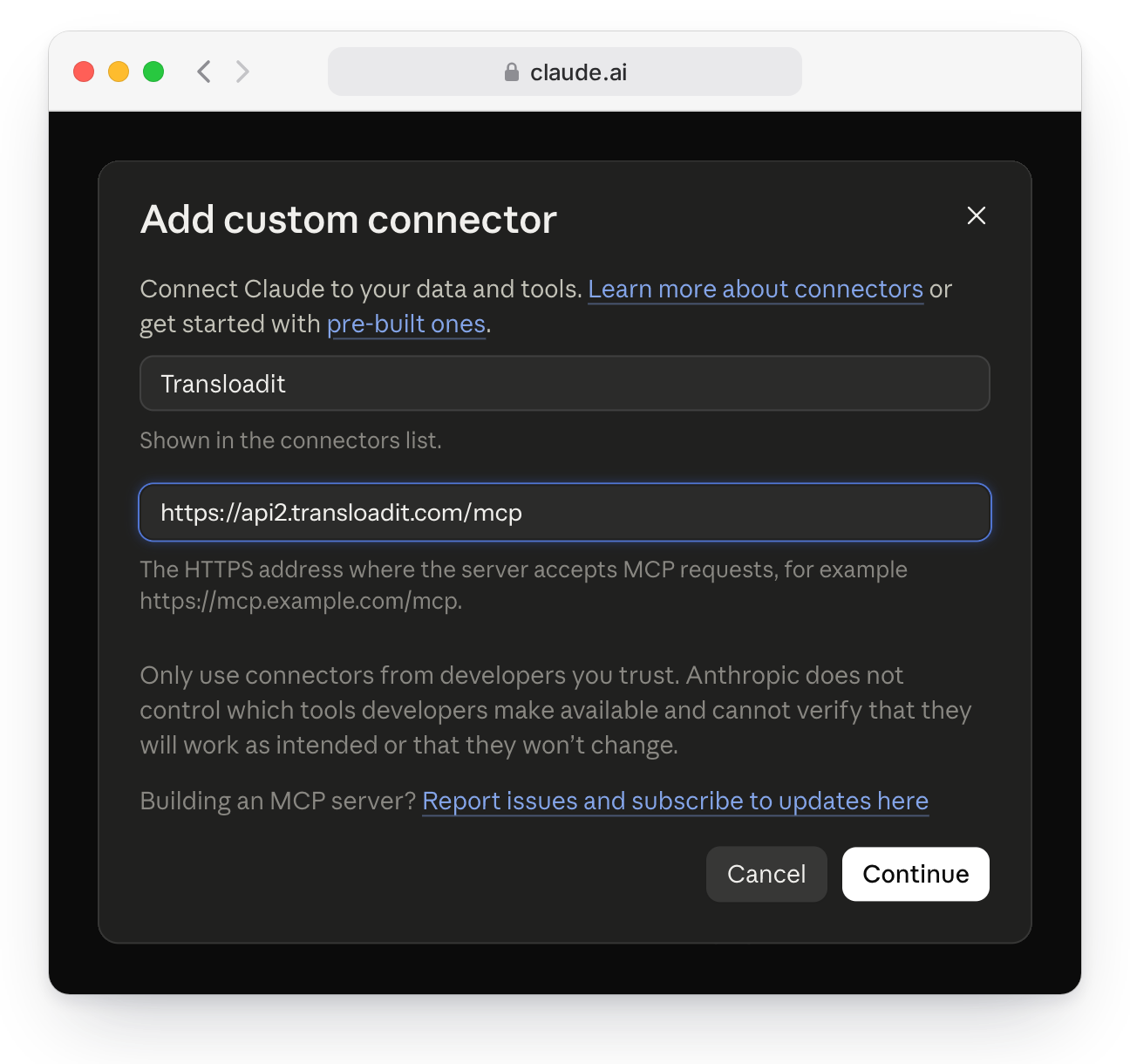
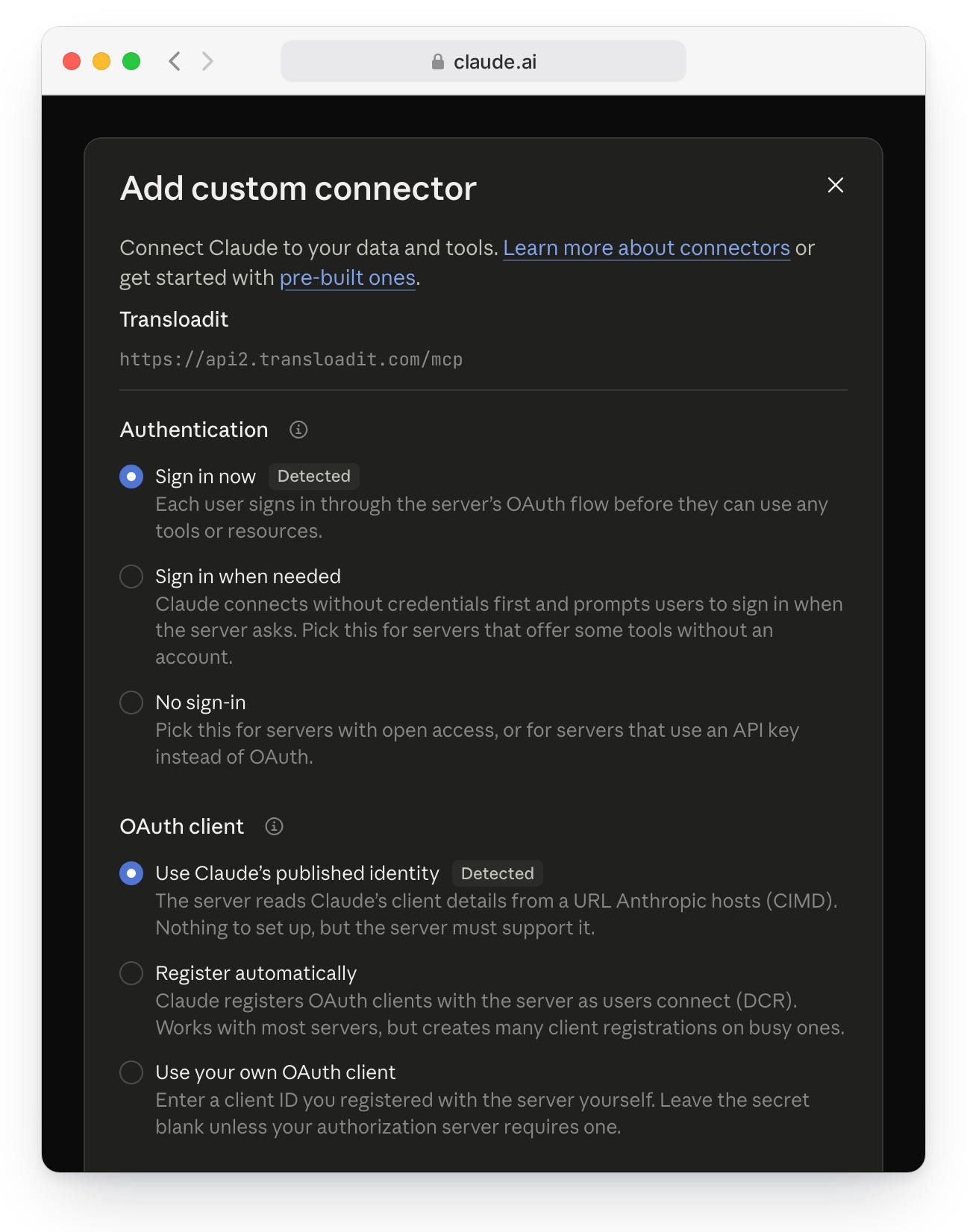
claude mcp add --transport http transloadit https://api2.transloadit.com/mcp, then open/mcpin a session and choose Authenticate. - Claude: in Settings → Connectors, choose Add custom connector, paste the URL, and click Continue. Claude detects that it should sign you in and how to identify itself.
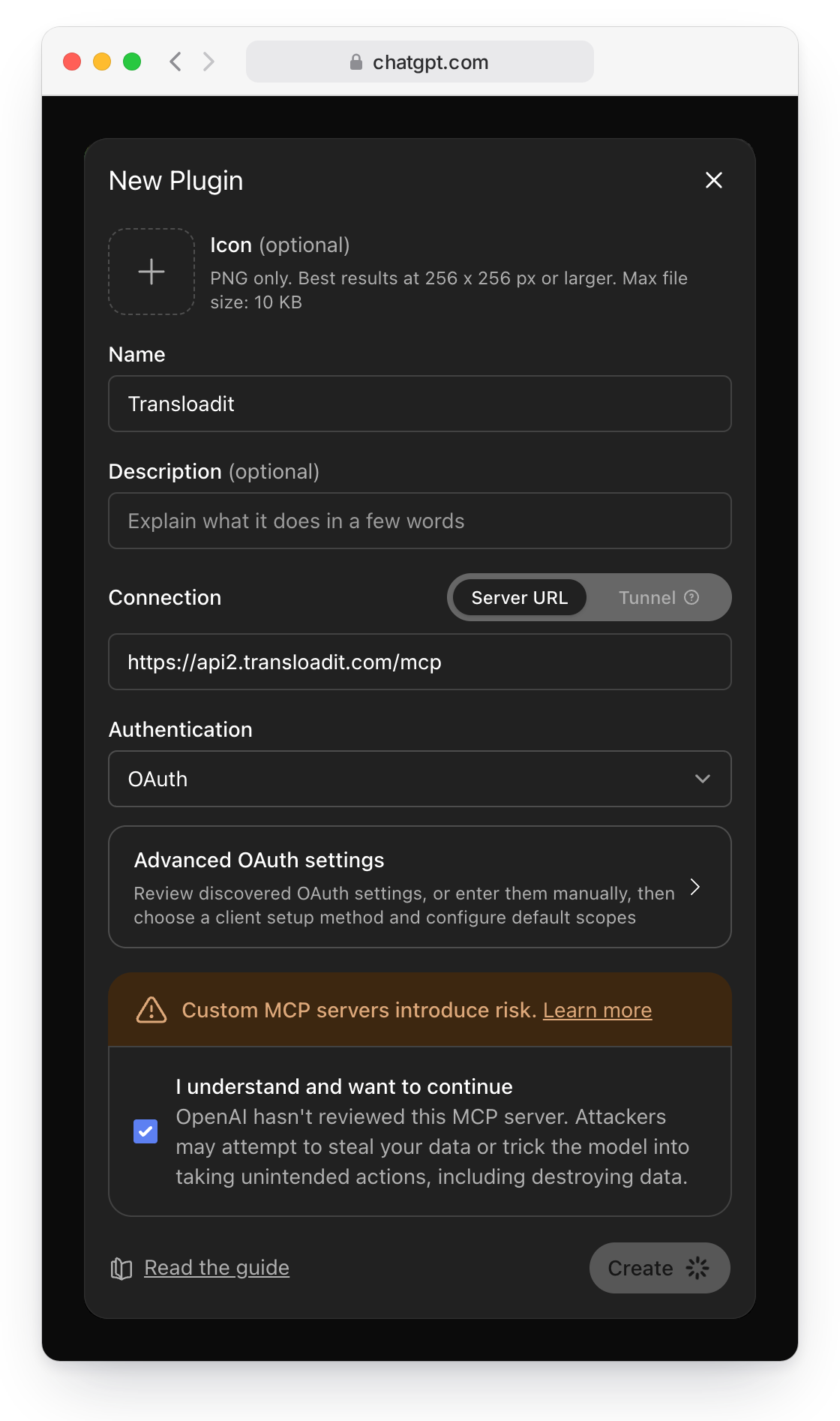
- ChatGPT: with developer mode turned on, create a new plugin with the URL as its server URL and OAuth as its authentication. It then shows up under Settings → Plugins: click Connect, then Continue to Transloadit.
- Codex: run
codex mcp add transloadit --url https://api2.transloadit.com/mcp. Codex starts the browser login for you.
There is nothing to copy from your account: no key, no secret, no token. Each client discovers our authorization server from the URL, identifies itself, and sends you to the consent screen.
Why not just paste an Auth Key?
You still can, and for your own backend, scripts, CI, or an integration like Zapier, an Auth Key is the right tool. But pasting a key into a chat app is like handing it a copy of your house key: it can do whatever that key allows until you delete the key, we cannot tell which app holds it, and deleting it cuts off every tool that shares it. Connecting by URL works the other way around. The app asks, you approve it for one Workspace, and it gets its own pass with only the permissions it needs. You see each app under Connected apps and can revoke one without touching anything else. The MCP server docs compare both ways side by side.
One consent screen
The consent screen runs in the Transloadit Console. If you are not logged in, you log in or sign up first and land back on the same request.
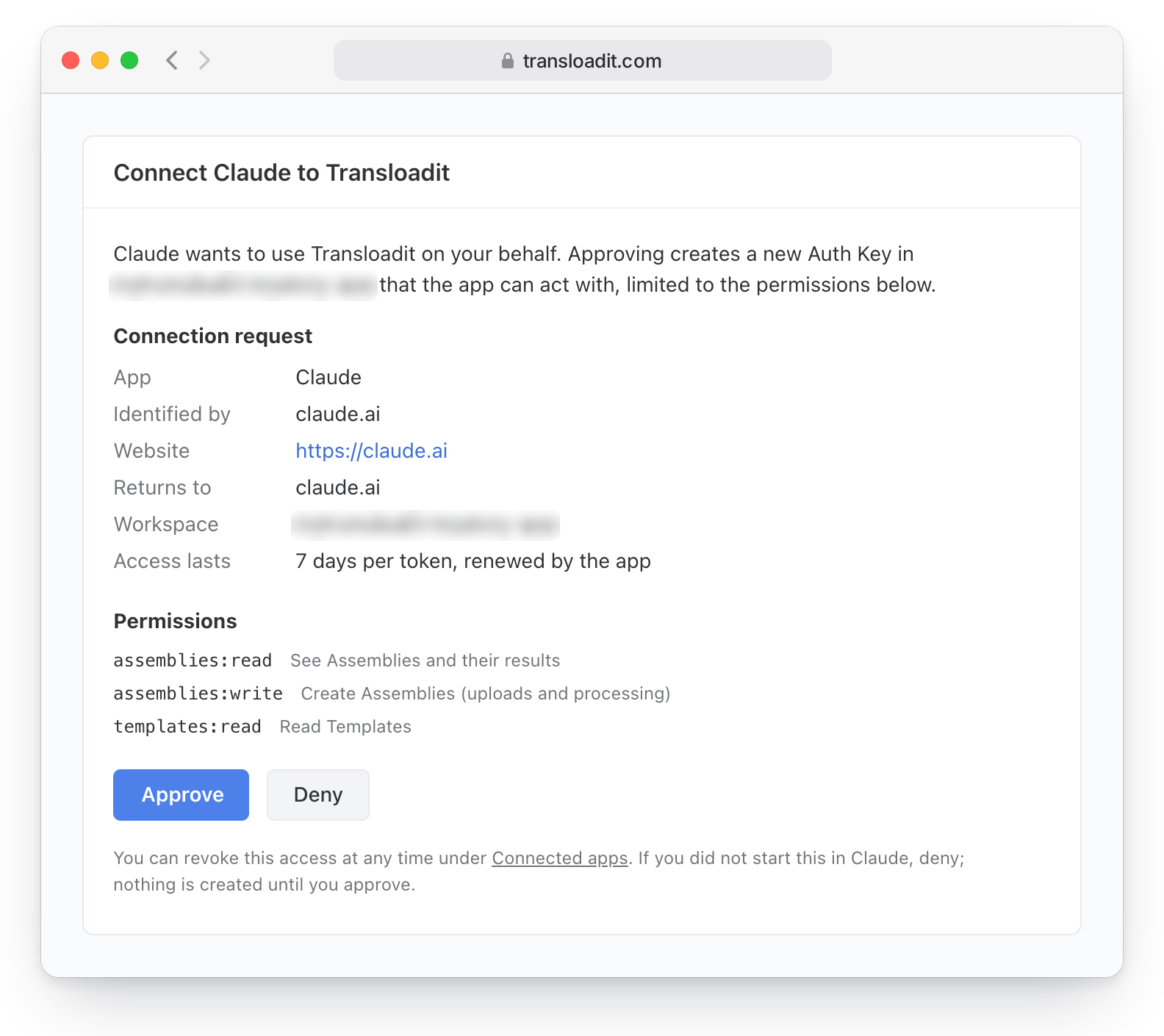
It shows which app is asking (name, website, logo, and the address it returns to), lets you pick the Workspace, and lists the permissions: create Assemblies, read Assemblies, and read Templates. That is all the MCP server needs, so that is all the screen grants, even when a client asks for more. Codex, for example, requests every permission our API knows and still gets only these three.
Apps that run on your own computer, such as Codex and Claude Code, return to a local address, and the consent screen tells you so:
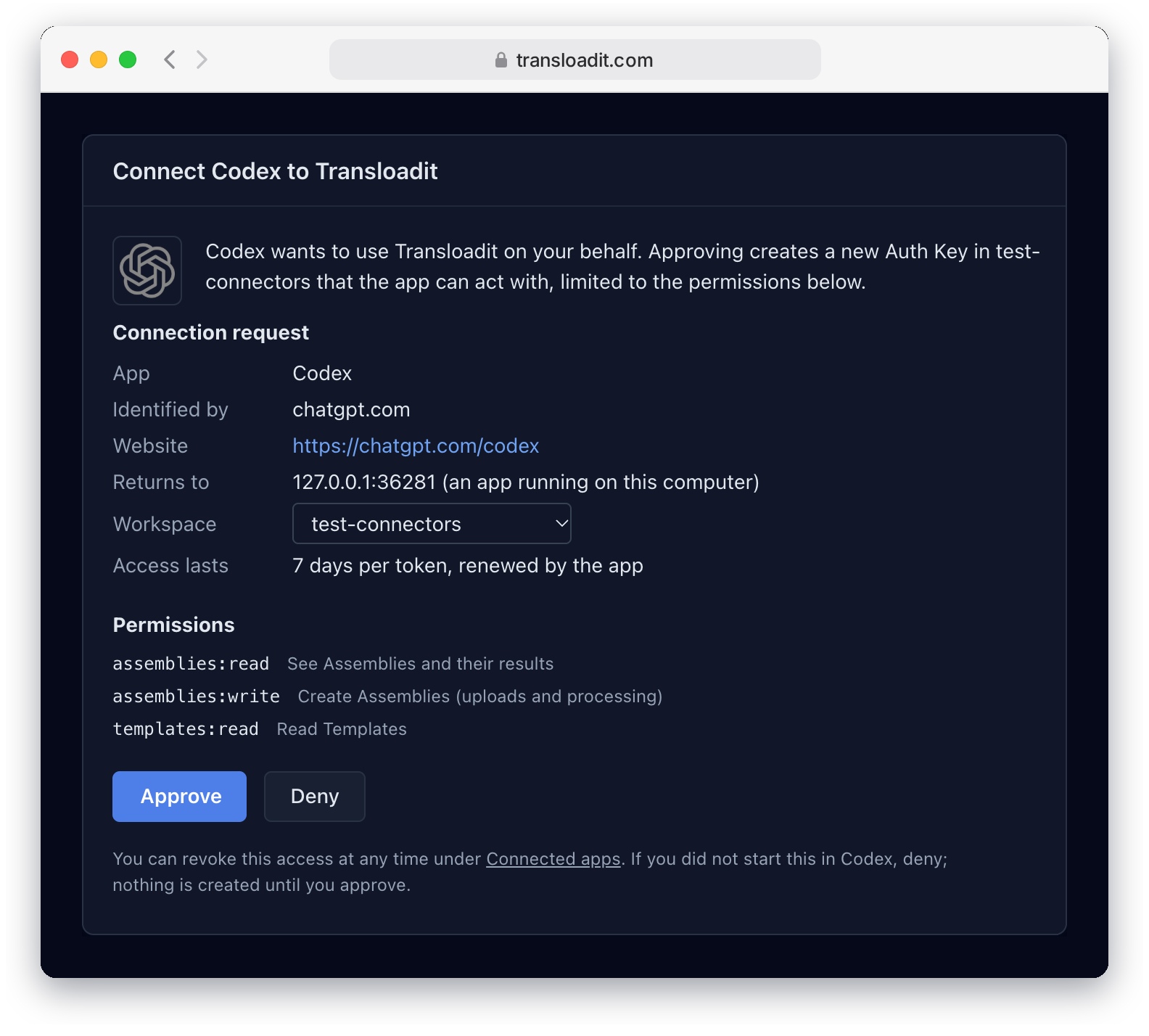
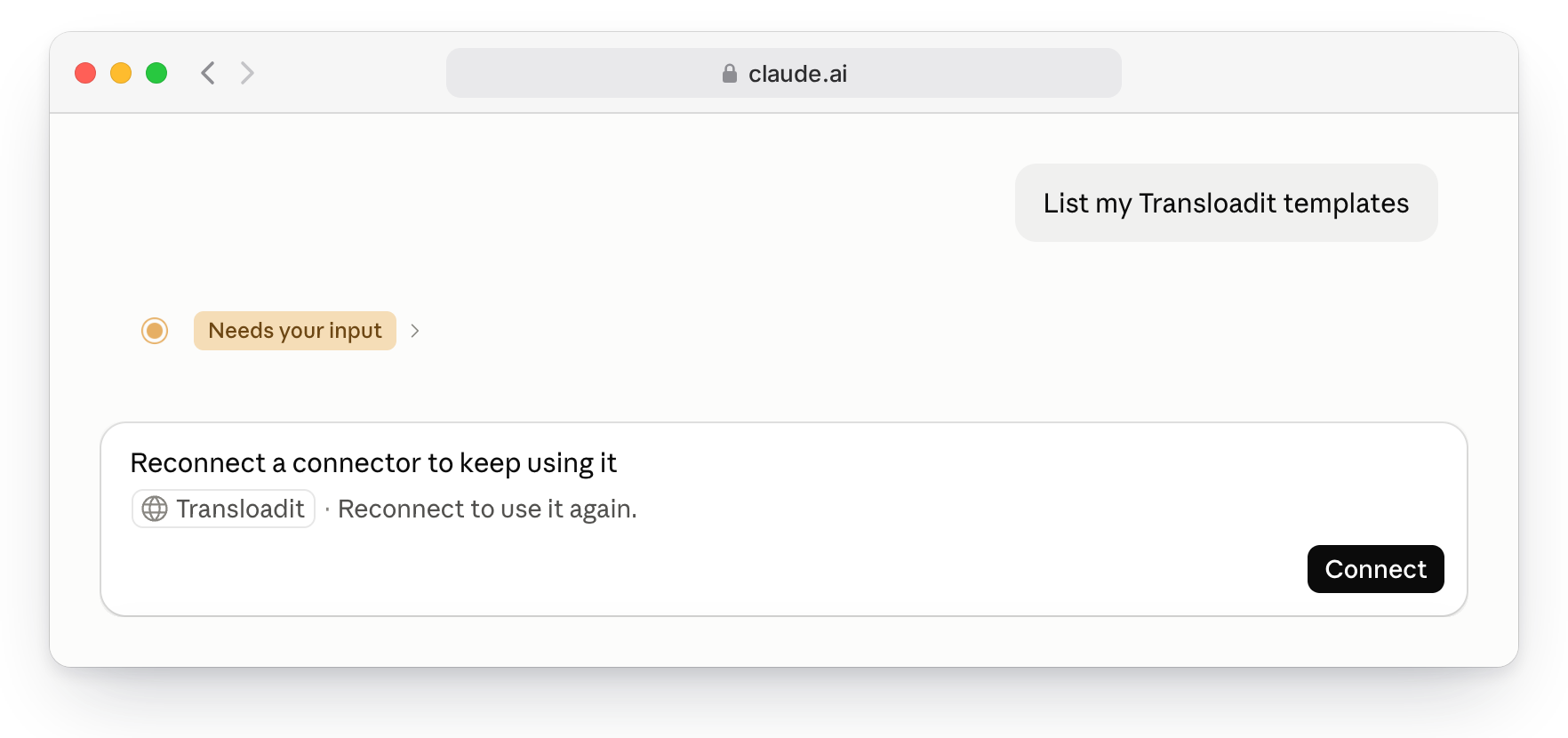
Approving creates a dedicated Auth Key in that Workspace, limited to those permissions. To revoke access later, open Connected apps in the Console: it lists every app you approved, and revoking one ends its access at once. Your other keys keep working. In Claude, the next request then asks you to reconnect:
Your Auth Secret never leaves your account. The client receives an access token for the MCP server that expires after a week, plus a refresh token that lasts 30 days and is replaced on every use. If a refresh token that was already used shows up again, for example a stolen copy, we revoke the whole chain.
Ask for what you want
Once connected, you talk to your agent the way you would to a colleague:
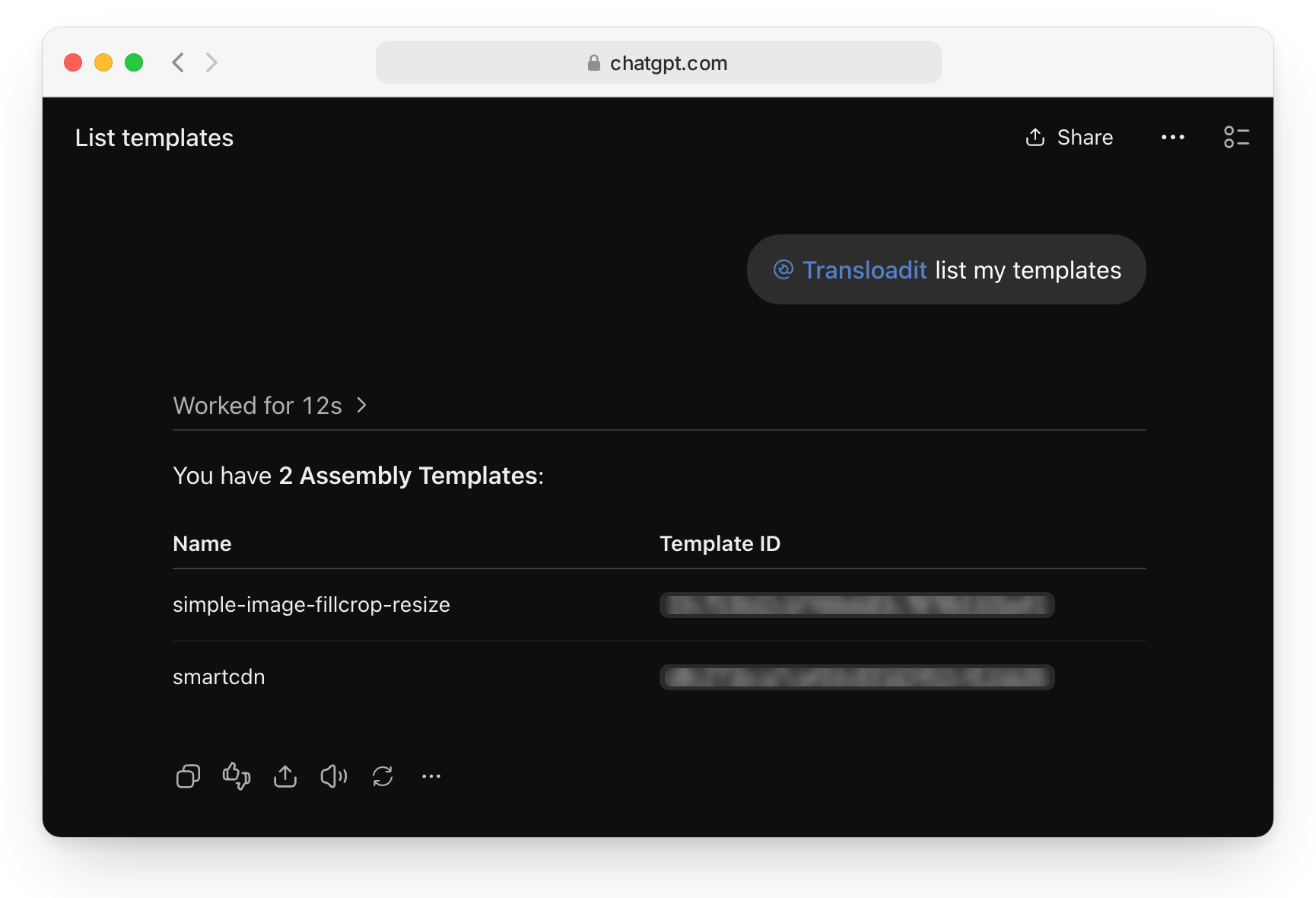
- “List my Transloadit Templates.”
- “Turn this talk into a vertical reel with burned-in captions.”
- “Remove the background from these product photos.”
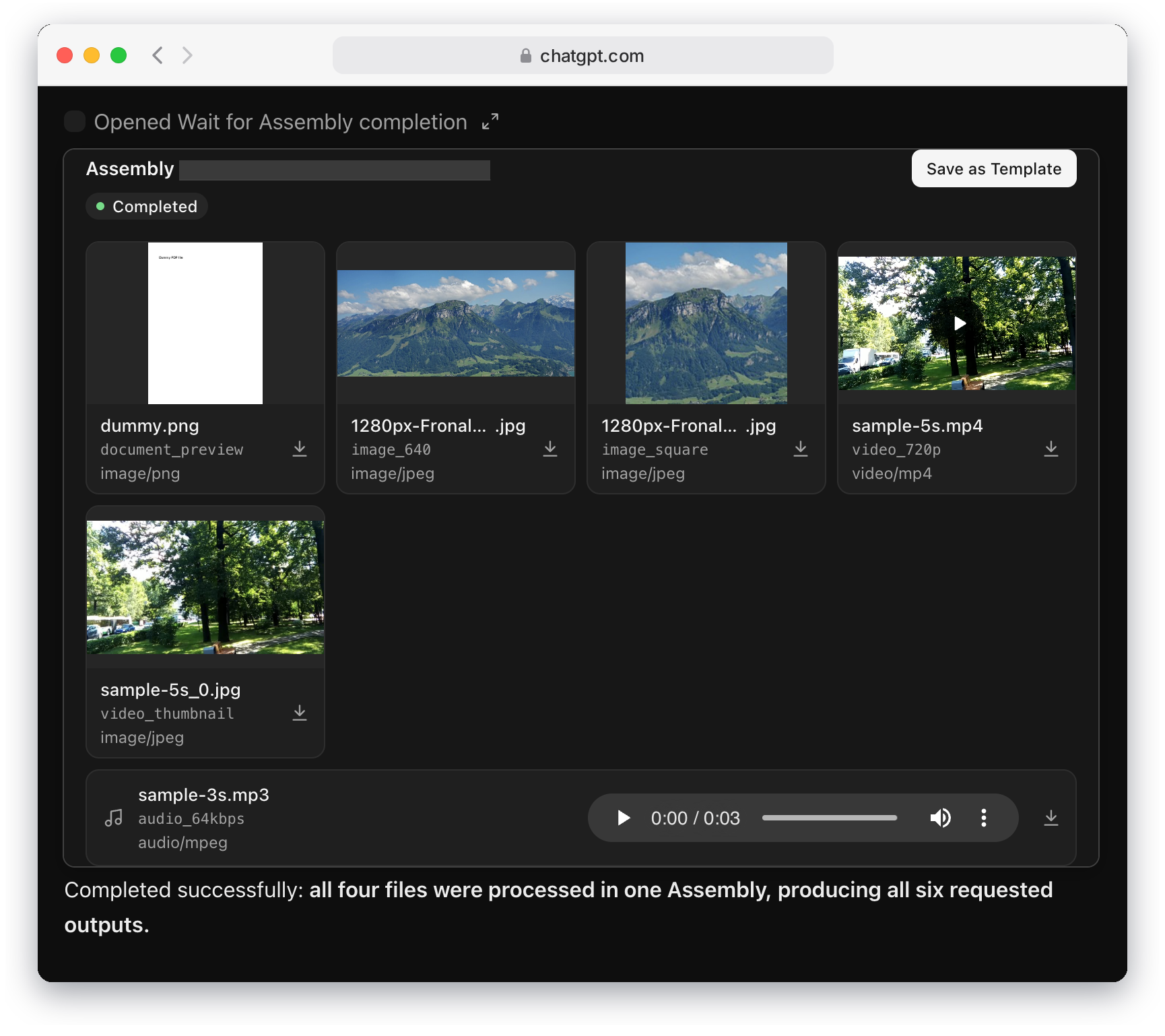
- “Resize this image, encode this video to 720p, make a 64 kbps MP3 of this audio, and render the first page of this PDF as a PNG, all in one Assembly.”
Shortcut tools for common jobs
For the jobs people ask for most, the server offers ready-made tools next to the general ones: Caption video, Capture webpage, Convert to PDF, Encode video, Extract text, Prepare image, Remove background, Transcribe, and Video covers. Each one runs a Builtin Template that we maintain, so the agent only supplies the file and a few options instead of writing Assembly Instructions from scratch. Here is Codex captioning a clip of a speech with one of them, trimmed:
$ codex exec "Use the transloadit MCP server. Turn ./jfk-we-choose-to-go-to-the-moon.mp4 into a vertical social reel with burned-in captions, using the Caption video tool. …"
mcp: transloadit/transloadit_get_robot_help (completed)
mcp: transloadit/transloadit_list_templates (completed)
mcp: transloadit/transloadit_lint_assembly_instructions (completed)
mcp: transloadit/transloadit_create_assembly (completed)
mcp: transloadit/transloadit_wait_for_assembly (completed)
mcp: transloadit/transloadit_caption_video (completed)
mcp: transloadit/transloadit_wait_for_assembly (completed)
codex
Finished: 1080 × 1920 (9:16), 55.018 seconds, with burned-in captions.

First three caption lines:

1. “and master, without feeding the fires of war,”
2. “without repeating the mistakes that man”
3. “has made in extending his writ around this globe of ours.”
Or let the agent compose an Assembly
When no shortcut fits, the agent writes the Assembly itself, and that is where it gets interesting. We gave Claude one sentence:
Using Transloadit: take President Kennedy’s public-domain Rice University speech at
https://upload.wikimedia.org/…/President_Kennedy%27s_Speech_at_Rice_University.ogv, cut out 8:44 to 9:34 (“But why, some say, the Moon?” through “We choose to go to the Moon”) in one Assembly, then turn that clip into a vertical social reel with burned-in captions.
Claude chained four Robots into one Assembly. 🤖 /http/import fetched the 18-minute recording from Wikimedia Commons, 🤖 /video/encode cut the excerpt and reframed it to 1080 × 1920, 🤖 /speech/transcribe transcribed it, and 🤖 /video/subtitle burned in captions that highlight each word as it is spoken. The Assembly finished in under a minute. Claude then read the transcript, noticed that our timestamps were a few seconds off, and offered a tighter cut that ends on “not because they are easy, but because they are hard.” One “yes” later, this came back:
President Kennedy at Rice University, 12 September 1962, cut, reframed, transcribed, and captioned by one Assembly that Claude wrote. Public-domain footage via Wikimedia Commons, served from Transloadit Storage.
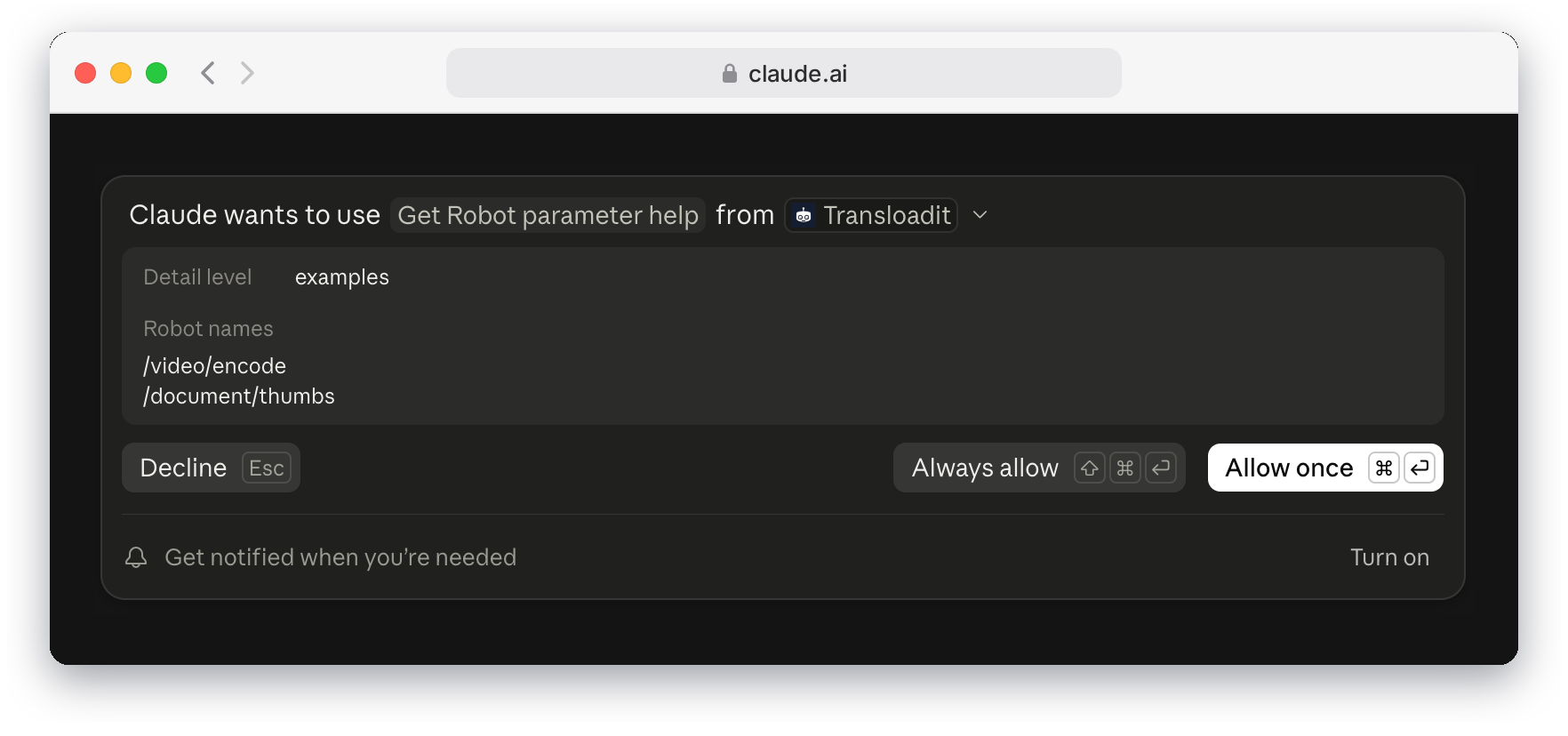
Creating an Assembly can write files to your own storage, for example through an 🤖 /s3/store Robot, so we mark that tool, and the shortcut tools, as ones that change things, and clients that honor that hint ask you to confirm first. Listing Templates, checking Assembly status, and looking up Robot documentation are marked read-only. When a tool needs your approval, Claude shows what it is about to send:
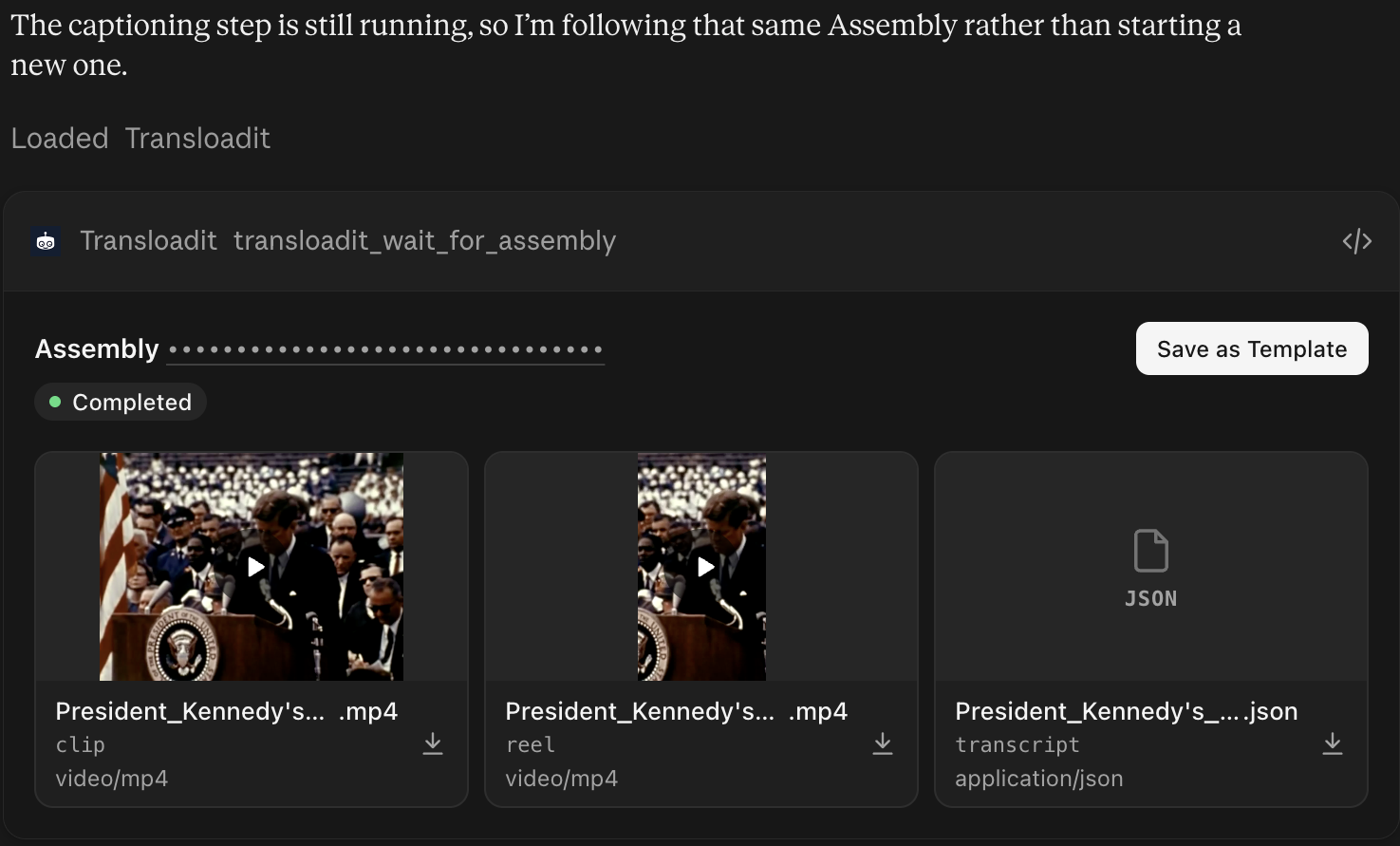
In clients that render MCP Apps, such as ChatGPT and Claude, a finished Assembly shows up as an inline card. It shows the Assembly’s status and a grid of results, each labeled with the Step that made it, with an image or video preview, an audio player, and a download button. While an Assembly is still running, the card keeps checking on it and fills in the results when they are ready, and the agent can follow it instead of starting over. Here is the Kennedy reel in Claude:
And a four-file request in ChatGPT, with an image, a video, an audio file, and a PDF processed in one Assembly:
Clients without MCP Apps, such as Codex in a terminal, get the same results as tool output.
Get files to Transloadit, wherever they are
Files are where agents usually get stuck, so the MCP server accepts them in several ways:
- A public URL. Ask the agent to process
https://example.com/talk.mp4, and Transloadit fetches the file from that address itself. - An attachment in ChatGPT. Attach a file to your message, and ChatGPT hands Transloadit a temporary download link for it, so the file never passes through the conversation.
- A file in the agent’s own sandbox. Claude, Claude Code, and Codex can run commands. When a
file only exists on that machine, the agent asks Transloadit for an upload slot, and gets back a
ready-to-run
curlcommand that streams the file straight into the Assembly over tus, the resumable upload protocol we maintain. Then it waits for the result.
That upload command contains no credentials, only the address of one Assembly that is waiting for
your files. Keep that address private anyway: whoever has it can also read the Assembly’s status and
results, and cancel it. In Claude, the sandbox needs outbound network access to reach Transloadit:
in Settings → Capabilities, allow network egress and add *.transloadit.com to the allowed domains.
To let Claude fetch the results back into its sandbox, add *.transloadit.net too.
For platforms that call our API directly
The same authorization flow also issues tokens for the Transloadit REST API itself, for platforms that call the API on a user’s behalf instead of going through MCP. Such a token never includes permissions that manage credentials: it cannot create Auth Keys or read stored Template Credentials, even if the approving key could.
Under the hood
For the curious, this is standard OAuth 2.1, as the MCP authorization spec describes it:
- The MCP server answers unauthenticated requests with a
401that points to its protected resource metadata, which names our authorization server. - Clients identify themselves with a public client metadata document, as ChatGPT, Claude, Claude Code, and Codex do, or by registering on the fly with dynamic client registration.
- Every authorization uses PKCE, and tokens are bound to the resource they were requested for.
Getting four clients to agree on all of that taught us a few things, which we will write up separately.
Know the limits
- ChatGPT only offers custom plugins when developer mode is available on your plan and turned on. Listings in the ChatGPT and Claude directories come next; until then, connect by URL as shown above.
- Files sent inline in a tool call, as base64, are capped at 512 KB. For anything bigger, use a URL or a sandbox upload. One request can prepare up to 100 sandbox uploads.
- On the free Community plan, image results are watermarked, and audio and video results are trimmed. Our FAQ explains why.
- ChatGPT keeps a snapshot of a plugin’s tools. When we add tools, open the plugin in ChatGPT’s settings and click Refresh tools to pick them up. Codex picks up the current list when it connects.
Try it
Paste https://api2.transloadit.com/mcp into your client and approve the consent screen. No account
yet? Sign up on the page that opens, or create one first. The
MCP server docs cover every client and the self-hosted setup, and our
agent skills teach agents how to use
Transloadit well. Tell us what is missing in the
node-sdk issue tracker.