

Introducing text extraction from PDFs with AI Robot

For a while now, we've offered AI-powered Robots that go beyond the normal capabilities of our Robots. For example, many of you may be familiar with our industrious /image/facedetect Robot that automatically recognizes faces within an image. It is perfect for identifying a face in an image and then cropping it for a user's profile picture.
Today, we are excited to introduce a new addition to our AI Robots family: the /document/ocr Robot.
The keen-eyed amongst you may have noticed that we already offer the /image/ocr Robot, which performs a similar, but recognizably different role within our arsenal.
If we take a peek under the hood, the /document/ocr Robot is powered by AWS Textract and GCP Document AI. This means it is explicitly trained to deal with long-form documents and large chunks of text – the type of text that you might find in a novel or scientific paper. Moreover, it works brilliantly at extracting text from tables and forms, meaning it's well-equipped to handle invoices too for example.
Comparatively, the /image/ocr Robot uses Amazon Rekognition and GCP's Vision API, which are both trained on small pieces of text – for example in stop signs, package labels and name tags.
Perhaps the most key difference, though, is that the /document/ocr Robot has support for PDFs, making it ideal for handling important documents from your clients.
Extracting text
As always, the best way to learn about these differences is not for me to tell you about them, but instead for me to show them to you. So, let's analyze the difference in output from the /document/ocr Robot compared to the /image/ocr Robot.
Here's the first Template, using the /image/ocr Robot.
{
  "steps": {
    ":original": {
      "robot": "/upload/handle"
    },
    "detect": {
      "robot": "/image/ocr",
      "use": ":original",
      "provider": "aws",
      "format": "meta",
      "granularity": "full"
    },
    "exported": {
      "use": "detect",
      "robot": "/s3/store",
      "credentials": "my_s3_credentials"
    }
  }
}
And then the second Template, which uses the /document/ocr Robot.
{
  "steps": {
    ":original": {
      "robot": "/upload/handle"
    },
    "detect": {
      "robot": "/document/ocr",
      "use": ":original",
      "provider": "aws",
      "format": "meta",
      "granularity": "full"
    },
    "exported": {
      "use": "detect",
      "robot": "/s3/store",
      "credentials": "my_s3_credentials"
    }
  }
}
The below images showcase the bounding boxes from both Templates overlayed on top of an example invoice, using /image/ocr on the left and /document/ocr on the right.
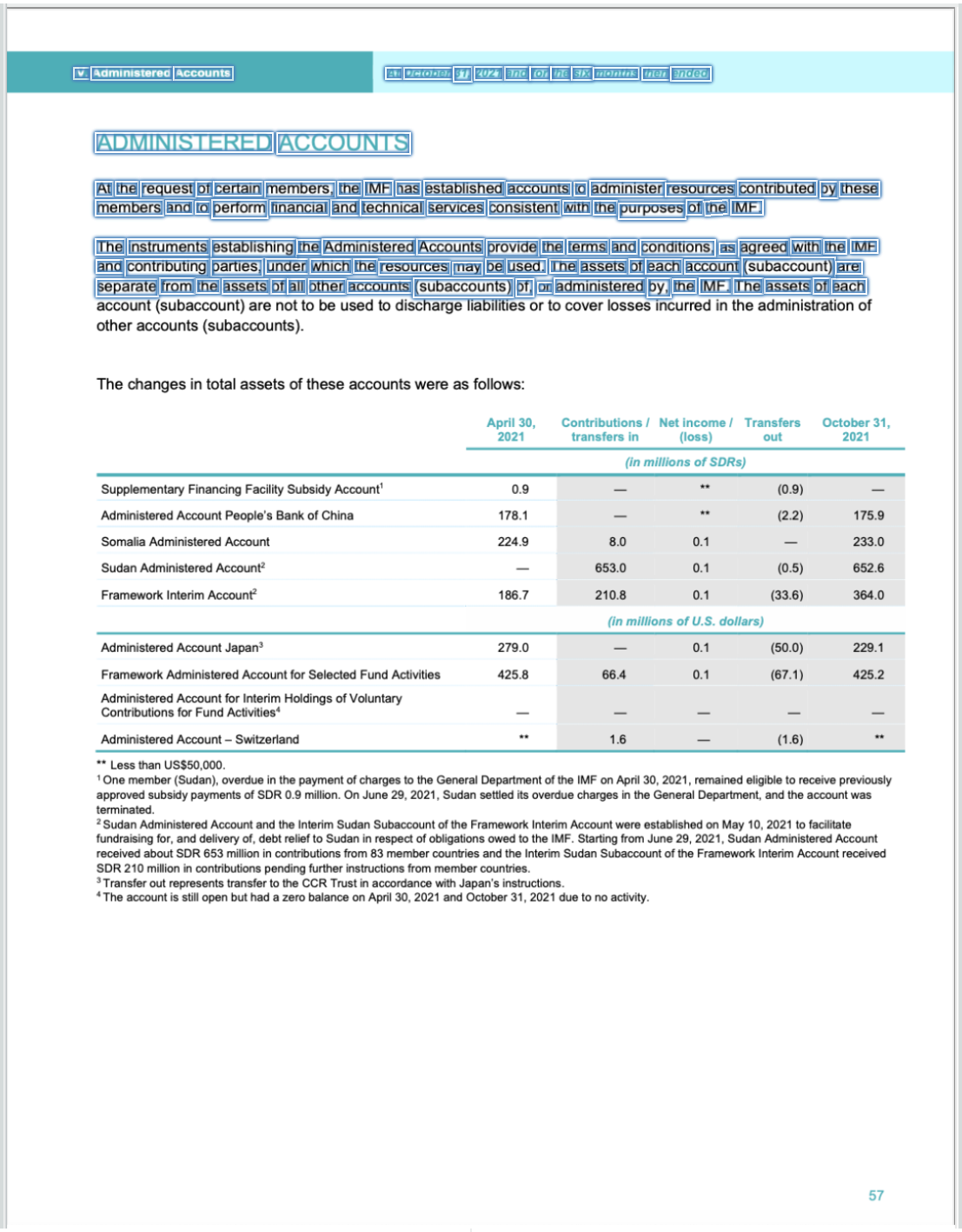
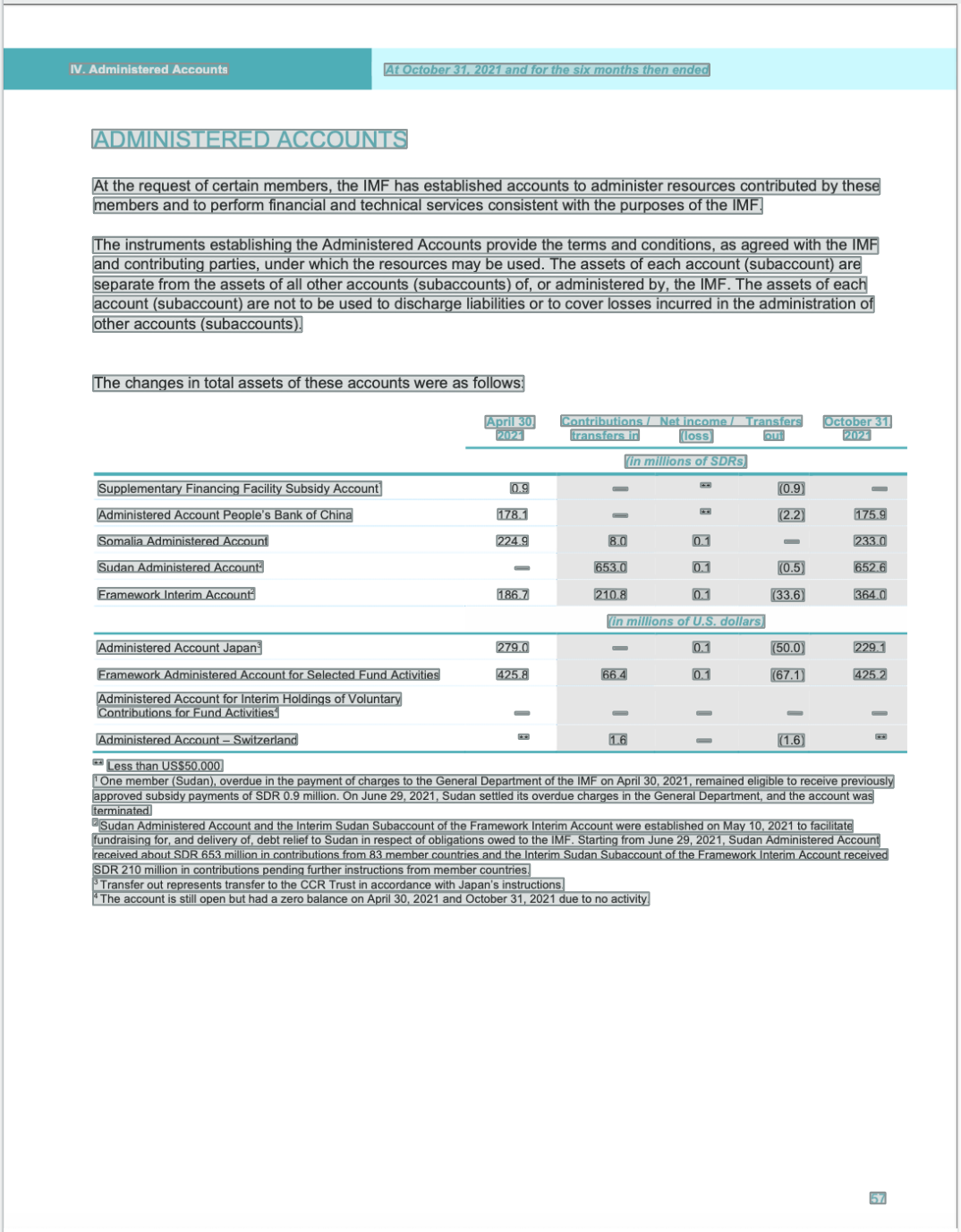
As demonstrated, the /document/ocr Robot does a much better job at recognizing the relevant information in the document – especially when it comes to the table and subsequent text, where the /image/ocr Robot seems to struggle a little more.
For those that are curious as to how we obtained the bounding boxes from both Robots, we
used a granularity value of full to include the bounding boxes for the recognized text as part
of the output. If you are only interested in the recognized text, change this value to list.
That's all it takes to start recognizing text in documents or images! There's no need for trawling through SDK documentation, or wrestling with an API – it is as simple as that.
Until next time!
That's all we have to show off for now. Be sure to reach out to us if you have a compelling new idea for a Robot, as we are always looking for new ways to innovate 💡