

Every player clip, ready for your feed
Every clip your players upload, sized for each feed and checked before it goes live.
Watermarked share copy640 × 800 · H.264 Encoded for the feed640 × 640 · H.264 Cropped for stories406 × 720 · H.264 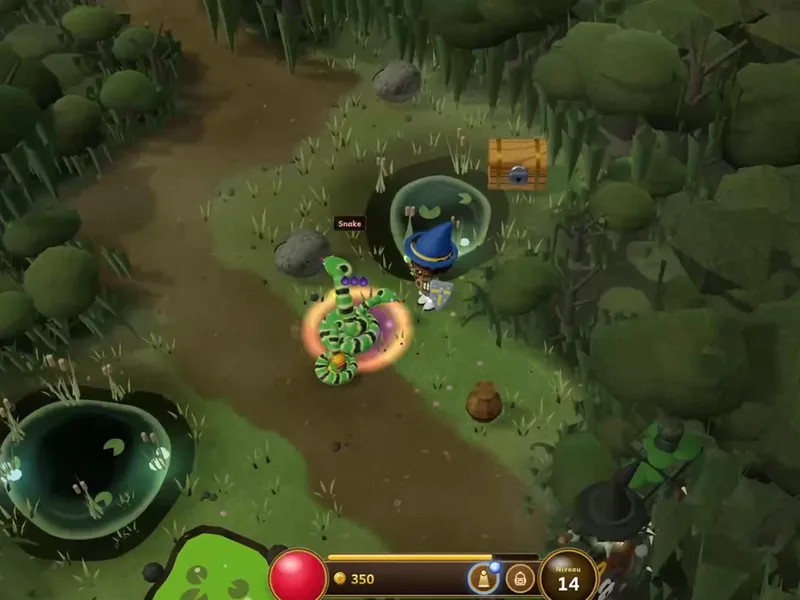
Link preview thumbnail800 × 600 · 37 kB 
Grid thumbnail extracted320 × 320 · 13 kB Encoded for replay960 × 540 · H.264
Trusted since 2009 by
the world’s most ambitious platforms.










One pipeline for every player upload
Prepare highlights for playback, check every community upload, and route clips, screenshots, and mods through reusable processing Templates.
Play highlights the moment they post
Recorded matches and highlights become adaptive HLS with a poster frame, so a clip starts quickly in your launcher or on a phone.
Every player upload checked first
Scan mods and archives for known malware and add NSFW labels to images, then apply your own moderation rules.
 clutch-round.mp4
 custom-skin.png
 free-coins.zip
 fan-art.jpglobby-pic.jpgmap-preview.pngspeedrun.mp4
Route each upload to the processing it needs
Clips, screenshots, mods, and commentary are sorted by file type and by the source your platform passes along, and each one is sent through the processing it needs, automatically.
- File
- clutch-round.mp4
- Source
- Game client
- Routed through
- /video/encode
- /video/thumbs
- File
- screenshot.png
- Source
- Game client
- Routed through
- /image/optimize
- File
- fan-art.jpg
- Source
- Community
- Routed through
- /image/describe
- /image/resize
- File
- mod-pack.zip
- Source
- Mod workshop
- Routed through
- /file/virusscan
- /file/decompress
- File
- tournament-vod.mp4
- Source
- Esports team
- Routed through
- /video/encode
- /video/adaptive
- File
- commentary.mp4
- Source
- Creator
- Routed through
- /video/encode
- /speech/transcribe
- File
- bug-report.zip
- Source
- QA tester
- Routed through
- /file/virusscan
- /file/decompress
- File
 montage.mov
- Source
- Community
- Routed through
- /speech/transcribe
- /video/subtitle
- File
- avatar.png
- Source
- Profile settings
- Routed through
- /image/resize
- File
- map-preview.png
- Source
- Level editor
- Routed through
- /image/resize
- /s3/store
- File
- speedrun.mp4
- Source
- Creator
- Routed through
- /video/encode
- /video/thumbs
- File
- custom-skin.png
- Source
- Mod workshop
- Routed through
- /image/describe
- /image/optimize
- File
- clan-banner.png
- Source
- Community
- Routed through
- /image/resize
- /image/optimize
- File
- boss-fight.mp4
- Source
- Game client
- Routed through
- /video/encode
- /video/adaptive
What your players notice
The pipeline stays out of sight. What players see is clips that start fast, look right in every feed, and uploads that simply finish.
Highlights play the moment they post
Clips become adaptive streams with a poster frame, so playback starts quickly in your launcher, on the web, or on a phone.
HLS · 360pHLS · 720pHLS · 1080pEvery share looks right
One upload becomes the 9:16, 1:1, and 16:9 versions each feed expects, with a thumbnail and your watermark on the share copies.
9:16 · Stories1:1 · Feed16:9 · WebLong recordings finish uploading
Resumable uploads pick up where they left off, so a dropped connection never means sending a whole match recording again.
ranked-match.mp42.4 GBUploading part 1 of 8Clips make sense with the sound off
Commentary is transcribed and burned in as subtitles, for everyone scrolling your feed on mute.
He’s through on goal with seconds left…Cuts inside, shoots, and it’s in!What a finish to win the match.Sound off

Having a solution for both uploading and transcoding has been a godsend for the current scale that we are at five years after first choosing Transloadit.What can Transloadit help with?
Six workflows gaming platforms build on Transloadit. Each one is a Robot, or a recipe of them, already in our library.
Resumable uploads from the game
Resumable uploads over tus from your game client and companion app, so a long match recording survives a dropped connection.
Every feed size, from one clip
Crop and encode each highlight into 9:16, 1:1, and 16:9 for your feeds and socials, with your watermark on the share copies.
Highlights that play anywhere
Encode player clips and tournament recordings for adaptive HLS playback, in your launcher, on the web, or on a phone.
Thumbnails for every clip
Pull poster frames and thumbnails from every upload, so your clip gallery shows a moment worth opening.
Mods and fan art, checked first
Scan mods and archives for known malware and label NSFW images, so your moderators review only the flagged uploads.
Subtitles for sound-off viewing
Transcribe the commentary in each clip and burn in subtitles, for players and fans scrolling your feed with the sound off.
You keep the game. We run the media pipeline.
Transloadit is the processing layer, not a replacement for your game backend, community tools, or video player. Here is exactly where the line sits, so nobody discovers it during integration.
What stays with your platform
- 01Player accounts, friends, and privacy settings
- 02Moderation policy and the final call on flagged uploads
- 03Leaderboards, recommendations, and what each player sees
- 04Retention and takedown when a clip is deleted or reported
What Transloadit handles
- 01File upload or import and server-side processing execution
- 02Video, image, audio, caption, and export steps
- 03Structured Assembly status and retryable notifications
- 04On-demand transformation and Smart CDN delivery, when enabled
A media pipeline you do not have to maintain
Choose encoding presets or custom FFmpeg parameters for codecs, resolution, bitrate, and containers.
Each clip is encoded and its thumbnails extracted in parallel, from the same upload.
Signed uploads, virus scans, scoped credentials, and processing in the US, EU, or Asia Pacific.
Workers autoscale through launch days and tournament finals. Extra work queues instead of failing.
Originals and renditions export to your S3, GCS, Azure, or R2 storage. Temporary copies are purged.
Maintained SDKs for Node.js, Python, Go, and more, and JSON Templates you can version control and test in CI.
Gaming media processing questions
The answers we would give on an evaluation call, including the cases where another tool is the better choice.
Does Transloadit handle live streaming?
No. Transloadit has no live ingest, so the live broadcast itself belongs to a dedicated streaming service. Once the stream ends and its recording is saved, Transloadit processes the replay like any other upload, and can stream recorded clips as adaptive HLS, including segments encoded on demand as viewers press play.
What happens on launch day, when every player uploads at once?
Workers autoscale with demand, so there is no capacity to provision for launches, season resets, or tournament finals. Your plan’s Priority Job Slots set how many jobs run at once; additional work queues instead of failing, and you can upgrade or arrange extra slots with our team ahead of a planned peak.
Can one player clip become every aspect ratio our feeds use?
Yes. Define each version once in a Template, such as 9:16 for stories, 1:1 for the feed, and 16:9 for your website, and every uploaded clip is cropped, encoded, and watermarked for all of them in the same Assembly.
Can Transloadit moderate uploads for us?
Transloadit returns NSFW labels for images and virus scan results as Assembly results, and can reject a file that fails a check. Your platform owns the moderation policy, the review queue, and the final decision on what is published.
How do we stop abuse of a public upload endpoint?
Sign every upload request on your backend with an expiry, so only the parameters you approved can run. Filter Steps reject files by type, size, or duration before processing, and virus scanning stops malware before a file reaches your storage. Read about Signature Authentication
Does Transloadit keep copies of our players’ clips?
Only briefly. Temporary processing copies are deleted after 24 hours by default, and originals and renditions are exported to the storage you configure. Deleting a clip or acting on a takedown request happens in your own systems. NSFW labeling and transcription Steps call an external provider, so check that provider’s region against your players’ requirements.
Is Transloadit a game backend?
No. Transloadit is the processing layer between your players’ uploads and your storage. Accounts, matchmaking, and moderation stay in your platform. Smart CDN can deliver right-sized variants on demand when you enable it. See how Transloadit Smart CDN works
Player media, on one API.
Run a sample of your players’ clips and screenshots through your first pipeline, and export every rendition to your own storage.