What is Turbo mode?
In the current plan lineup, video Turbo mode is included with Pro and Enterprise, but not with Community or Lite. Existing legacy plans retain their agreed features.
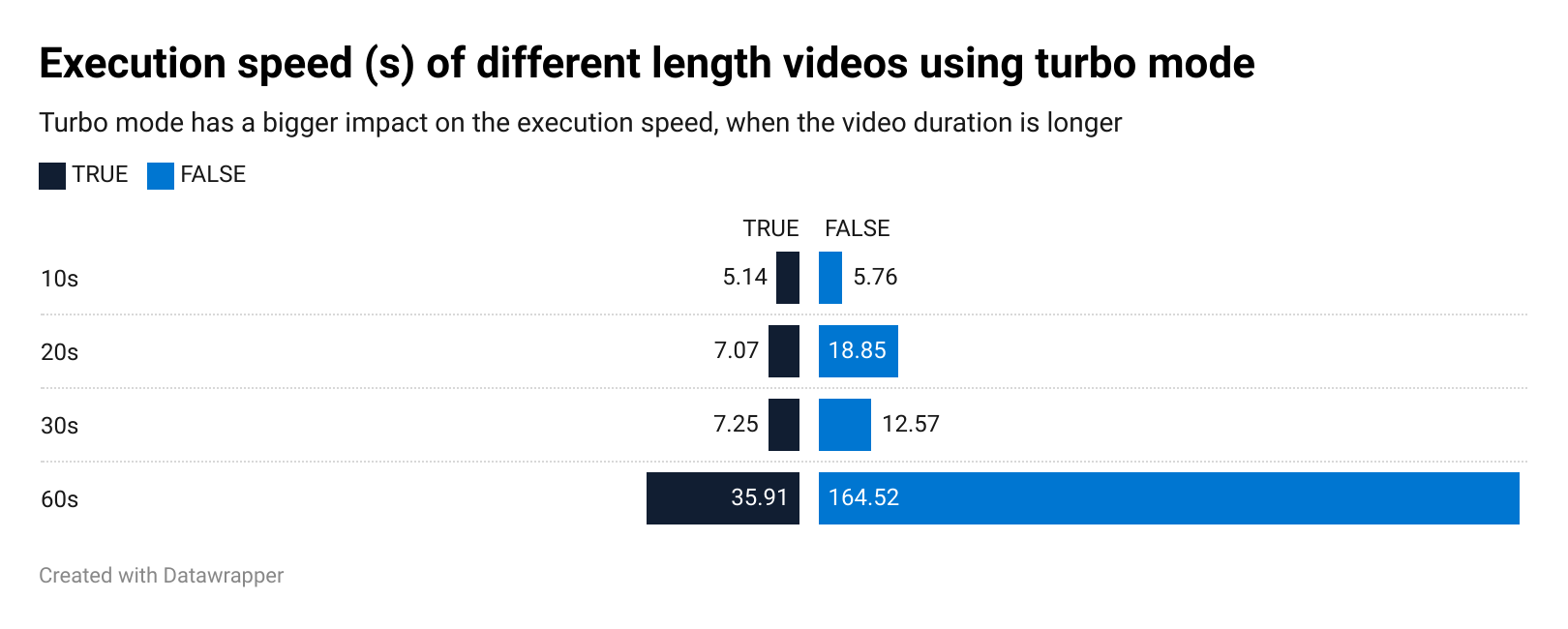
Turbo mode is available for 🤖/video/encode and 🤖/video/concat, which allows you to make encoding up to 22x faster by splitting a video into several small chunks that can be encoded in parallel and then stitched back together into the finished product.
Due to the complexity of Turbo mode, this results in increased usage of Priority Job Slots as the number of chunks increases. So users with fewer Priority Job Slots can use this feature, we allow tuning of how many chunks are created. By default, if you upload a video file over a minute long, the video will be split into 10-second chunks, and if it's under one minute, it will be split into 5-second chunks.
To configure how many chunks are generated, we've created the chunk_duration parameter. The higher
value you set, the fewer chunks will have to be created. This requires fewer Priority Job
Slots to transcode as part of the priority queue.
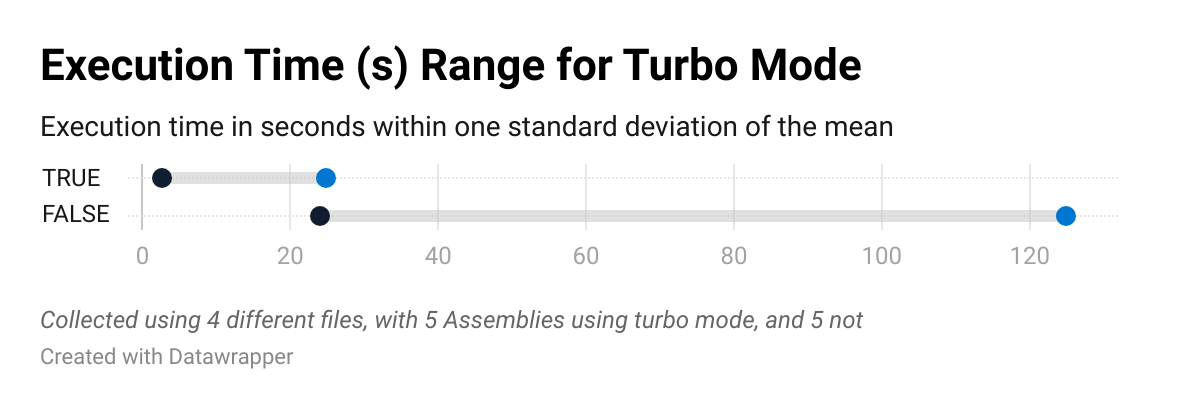
Below, we have linked statistics showcasing the encoding times of Assemblies run with and without turbo-mode, on files of varying durations.